← All setup guides

Setup guide
How to set up Kitbag Certificates
Kitbag Certificates is an add-on for Kitbag Calendar, Quotes, Customers, Team or Hub: gas safety records, RAMS and van checks. Add its key in the app you use and its screens appear in the menu.
#Add your Certificates key
- Open the Kitbag app you use (Calendar, Quotes, Customers, Team or Hub) and go to Settings.
- Paste your Kitbag Certificates key (it starts with DS1.) into Add a licence key and press Add key.
- Records, Due checks, RAMS and Vans appear in the menu.
#Gas engineers: add your Gas Safe details
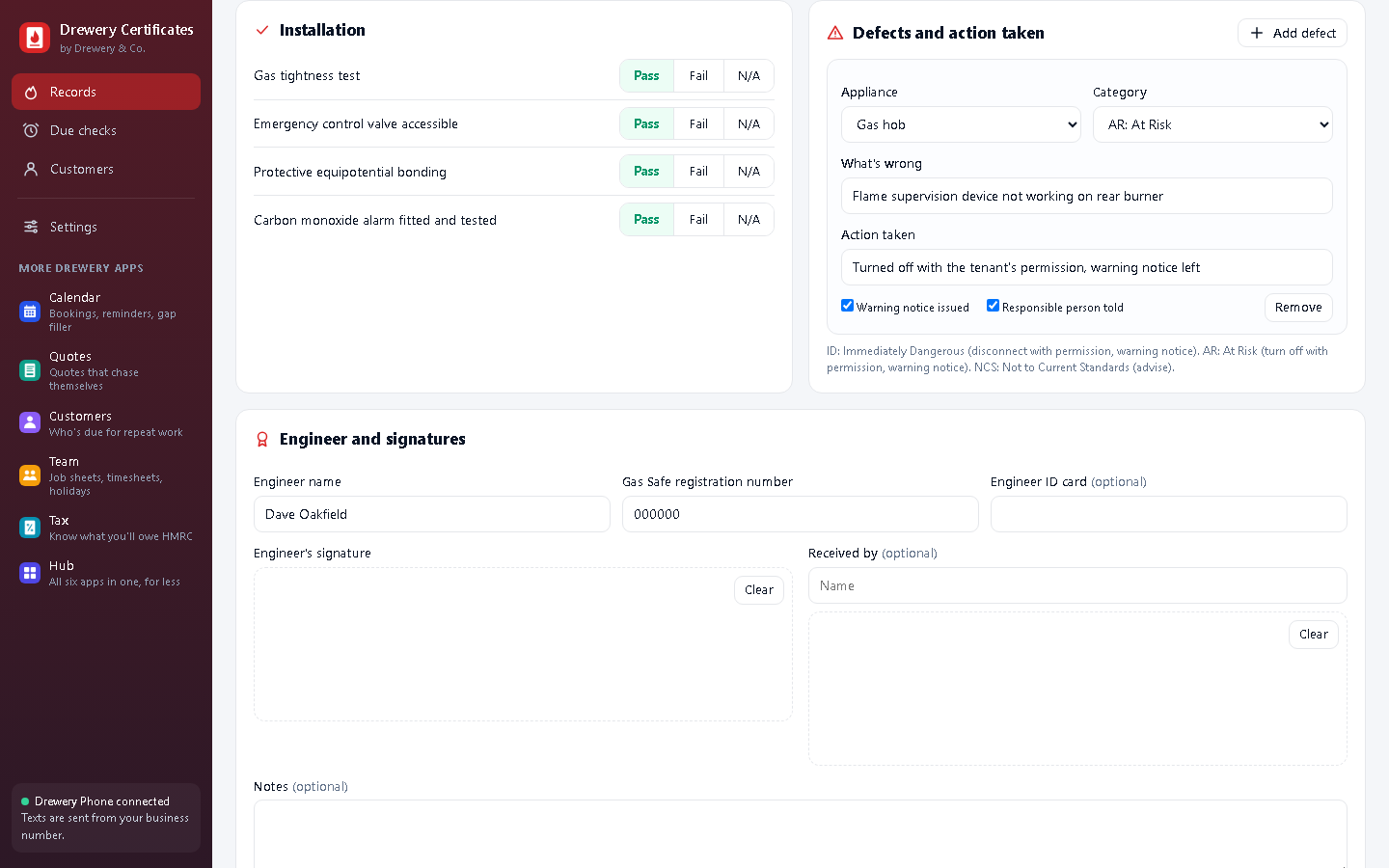
- Open Records and press Engineer details.
- Add the engineer's name and your business's Gas Safe registration number (6 or 7 digits).
- Press Save. Every new record fills these in for you.
#Fill in a gas safety record
- Press New record, choose Gas safety record or Service record, and whether it's for a landlord or a homeowner.
- For each appliance: type, location, flue, make and model, the reading, and Pass, Fail or N/A for each check.
- Found a problem? Add defect, with its category (ID, AR or NCS) and what you did about it.
- Sign on screen and press Issue record. If anything the law asks for is missing, it tells you first.
#Write a RAMS
- Open RAMS and press New RAMS. Give the job a title and choose the client.
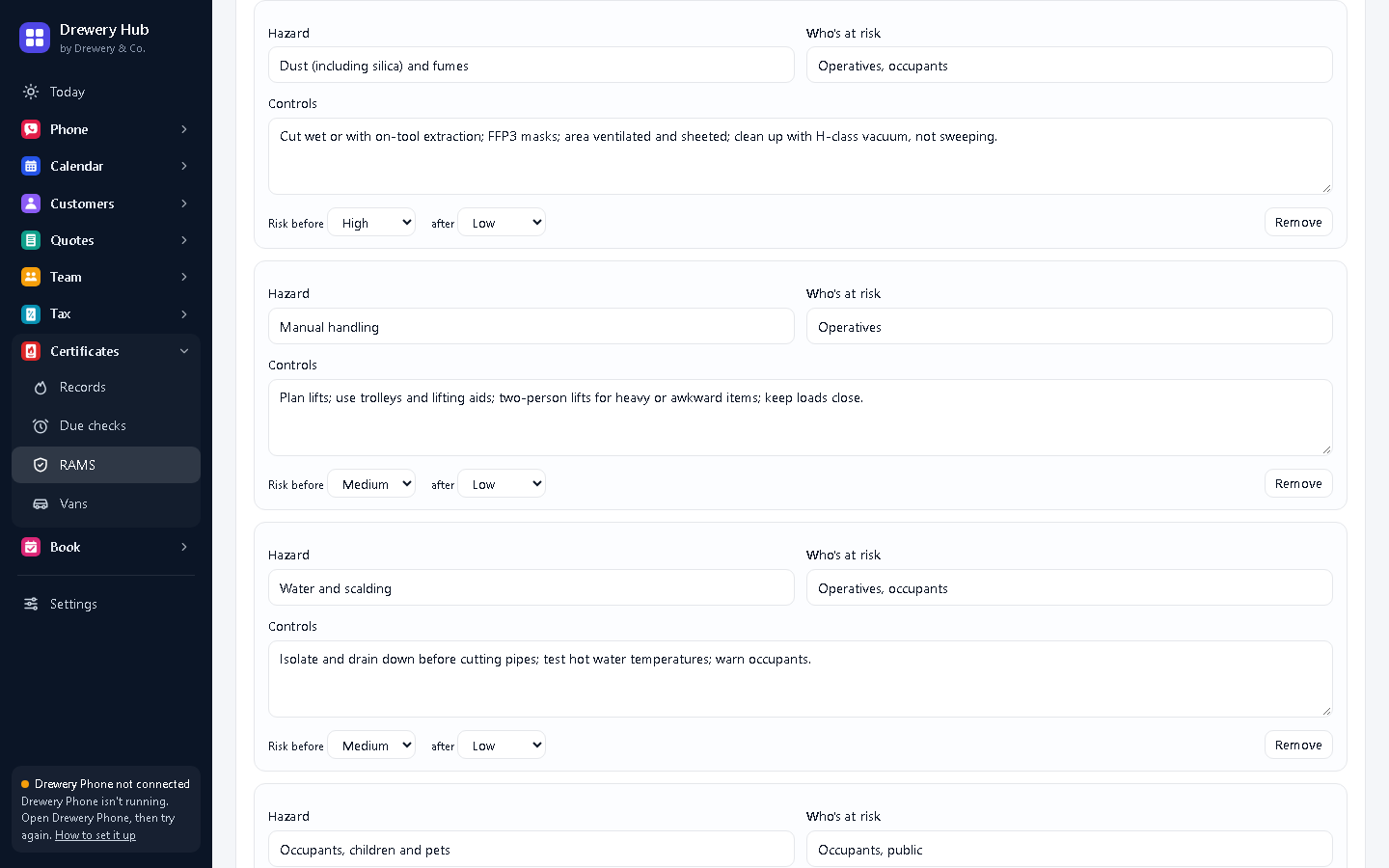
- Describe the work, then pick hazards from Add a common hazard: each comes with controls and risk levels you can change.
- Add the method step by step, the PPE, and the emergency arrangements (first aid, nearest A&E).
- Sign and press Issue, then PDF / print for the main contractor. On site, use Record a briefing for each person you brief.
#Add your vans
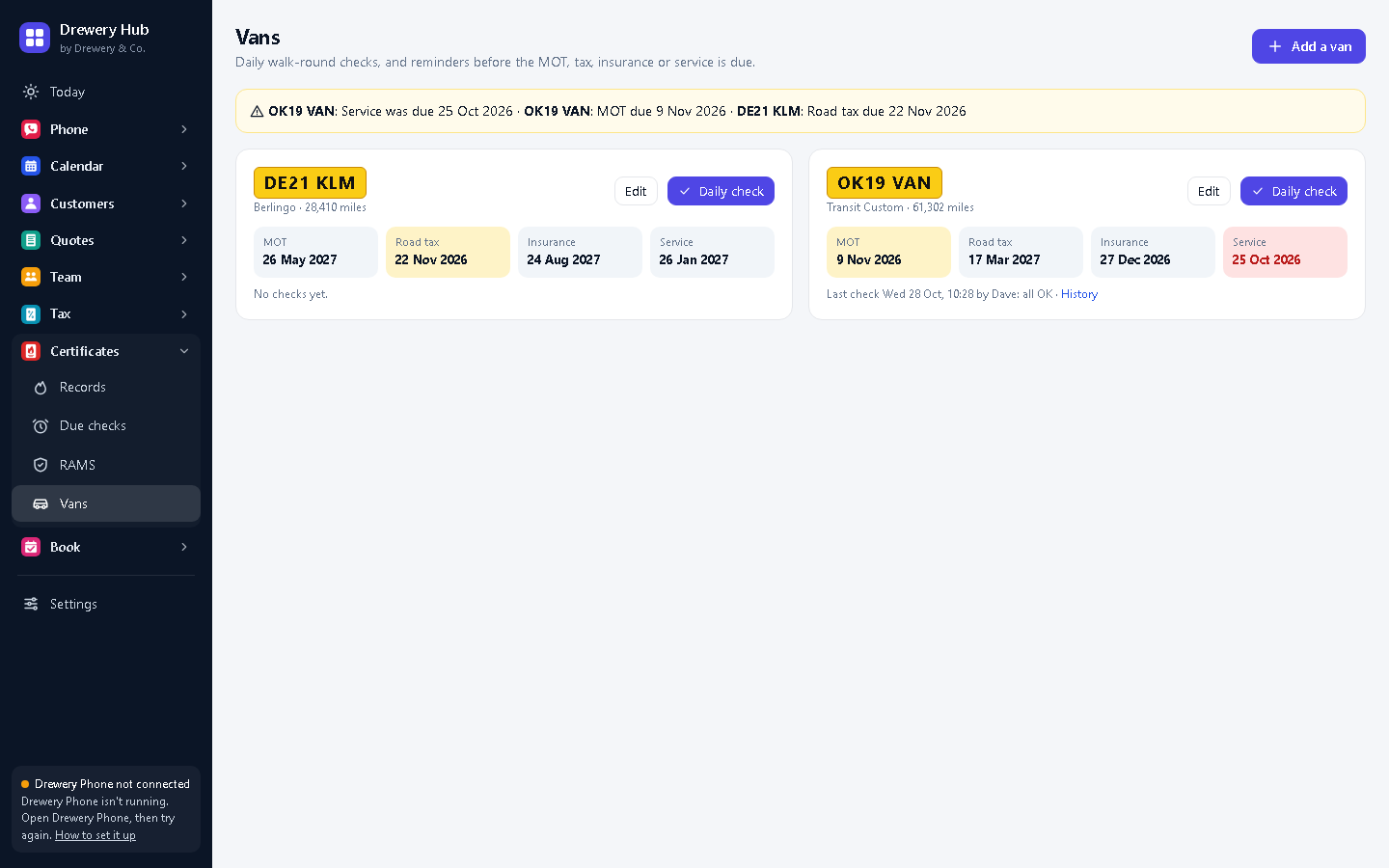
- Open Vans and press Add a van: registration, usual driver, and the MOT, tax, insurance and service dates.
- Each morning, press Daily check, mark each item OK or a fault, and save. A fault stays flagged until it's marked fixed.
- Anything due in the next 30 days shows at the top of the screen.
Need a hand?
Email help@dreweryco.uk or use the contact form, and we'll talk you through it.
 All six apps. One window.