
 Kitbag app
Kitbag Team
Everyone knows where they're going, every day.
A daily board of who's doing what. Move jobs between people in a click, print job sheets, and keep customers in the loop. Kitbag Team includes the full Calendar diary.
 Or get all six apps for £49 a month. Kitbag Hub includes Team and the other five, worth £79 separately.→
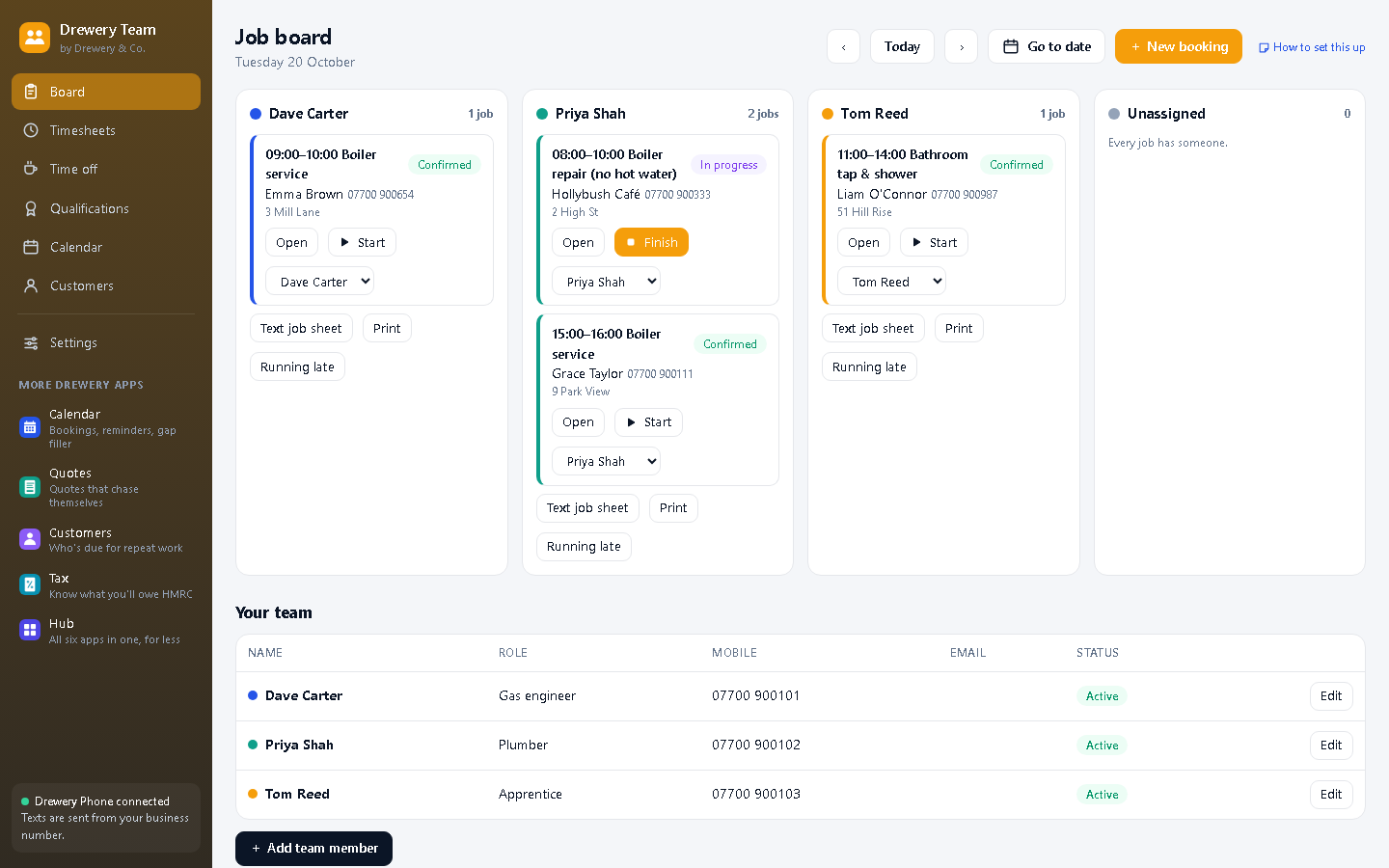
Job sheets that send themselves, and "running late" in one tap.
Every evening, each employee gets tomorrow's jobs by text: times, customers and addresses. And when someone's held up, one tap texts every customer they still have to see today with a polite heads-up.
Job sheets, sent every evening.
At 6pm everyone gets tomorrow's jobs by text, with addresses and notes. No more phone calls at 9pm.
Start a free 14-day trialEverything in Kitbag Team
Daily board
Each person's jobs side by side, plus anything nobody's been given yet.
Reassign in a click
Move a job to someone else, with a warning if they're already busy.
Job sheets by text
Send a person their day, or switch on automatic evening sheets.
Printable sheets
A tidy PDF of the day for anyone who prefers paper.
Running late
Text everyone still to come today that you're running behind.
Employees
Unlimited team members with their own colours and mobile numbers.
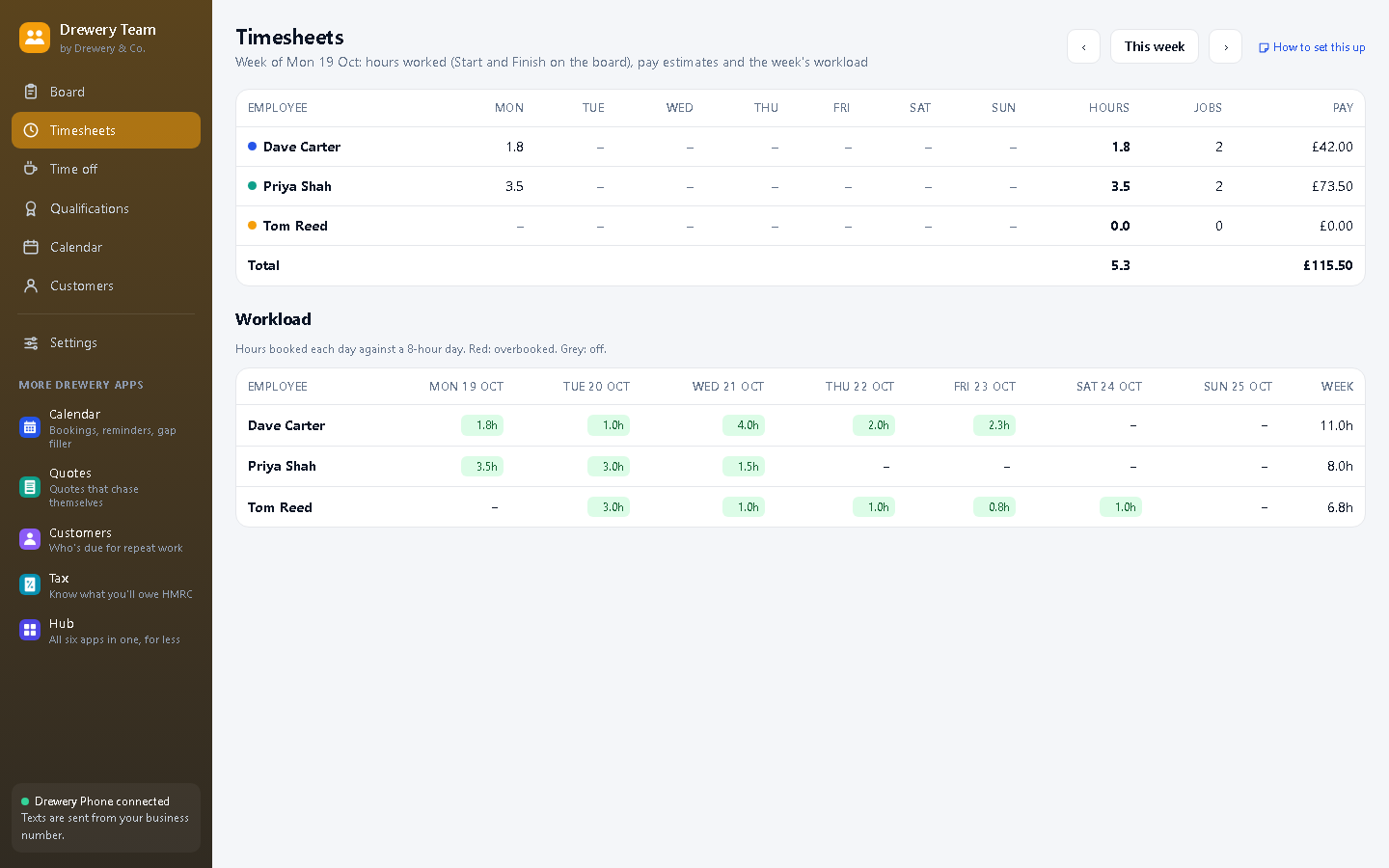
Timesheets New
Start and Finish on the board record the hours, and the week adds itself up.
Pay estimates New
Add an hourly rate and see what each person's week comes to.
Workload New
Hours booked per person per day, with overbooked days in red.
Holidays and time off New
Book time off, and bookings for someone who's off are flagged before they're made.
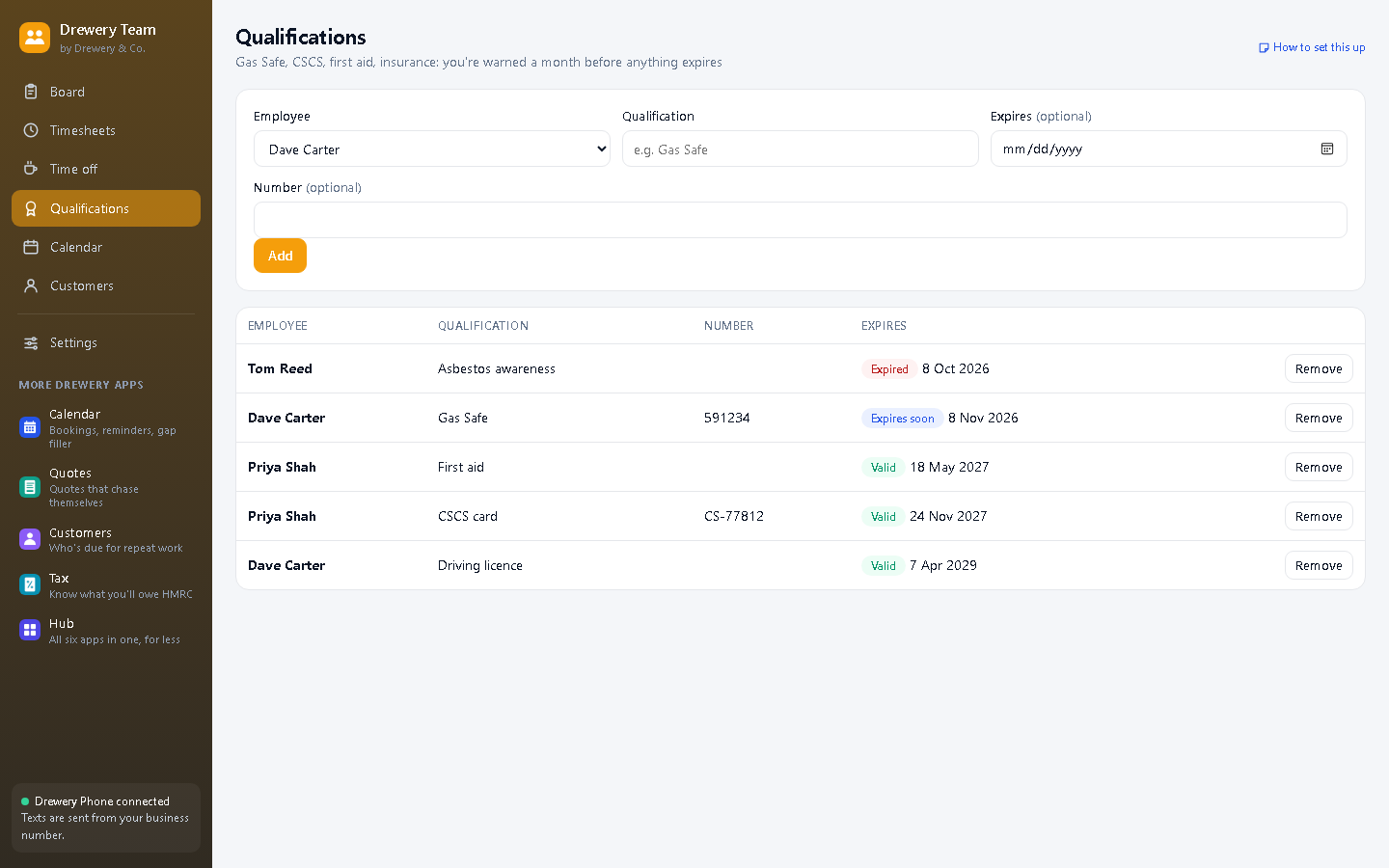
Qualifications New
Gas Safe, CSCS, first aid: you're warned a month before anything expires.
Better with the other Kitbag apps
Each Kitbag app works on its own. Put two or more on the same PC and they share your customers, diary and team.
- Includes the Kitbag Calendar diary
- Texts go out through Kitbag Phone
- Finished jobs can be invoiced in Kitbag Quotes
Want them all?
Kitbag Hub is all six Kitbag apps in one window, Kitbag Phone included, for £49 a month (worth £79 separately, so you save £30).
Do my employees need the app?
No: they can get their jobs by text. With team access switched on, they can also see their own jobs on their phone, tap Start and Finish for their timesheet, and text customers they're on their way.
Is there a limit on employees?
No. Add as many as you like.
Can my staff use it on their own PC or phone?
Yes. Your licence stays on your main computer, and your staff connect to it over your own Wi-Fi: install the app on their PC and choose "Connect to the main computer", or open it in their phone's browser. Each person signs in with their own PIN, and you choose whether they see just their own jobs or the whole office.
How do I buy it?
Request a licence and we'll email an invoice. Pay by bank transfer, and your licence key arrives by email. Each key works on one computer. Choose how many months you want (1 to 120), and nothing renews unless you pay the renewal invoice.
 Phone£25 a month
 Calendar£10 a month
 Quotes£12 a month
 Customers£8 a month
 Tax£9 a month
 Certificates£8 a month
 Book£6 a month
 Pay£5 a month