How to set up Kitbag Book
Kitbag Book gives you an online booking page that fills Kitbag Calendar by itself. It's an add-on: set it up from Kitbag Calendar, Team or Hub.
#Add your Kitbag Book key
- Open Kitbag Calendar (or Team, or Hub) and go to Settings.
- Paste your Kitbag Book key (it starts with DS1.) into Add a licence key and press Add key. The PC needs to be online.
- Online booking appears in the menu.
#Check your services
Your booking page offers the services in Settings → Calendar & texts, with their lengths and prices. Add any that are missing, and check each one's length: that's how long a booking takes.
#Set up your page
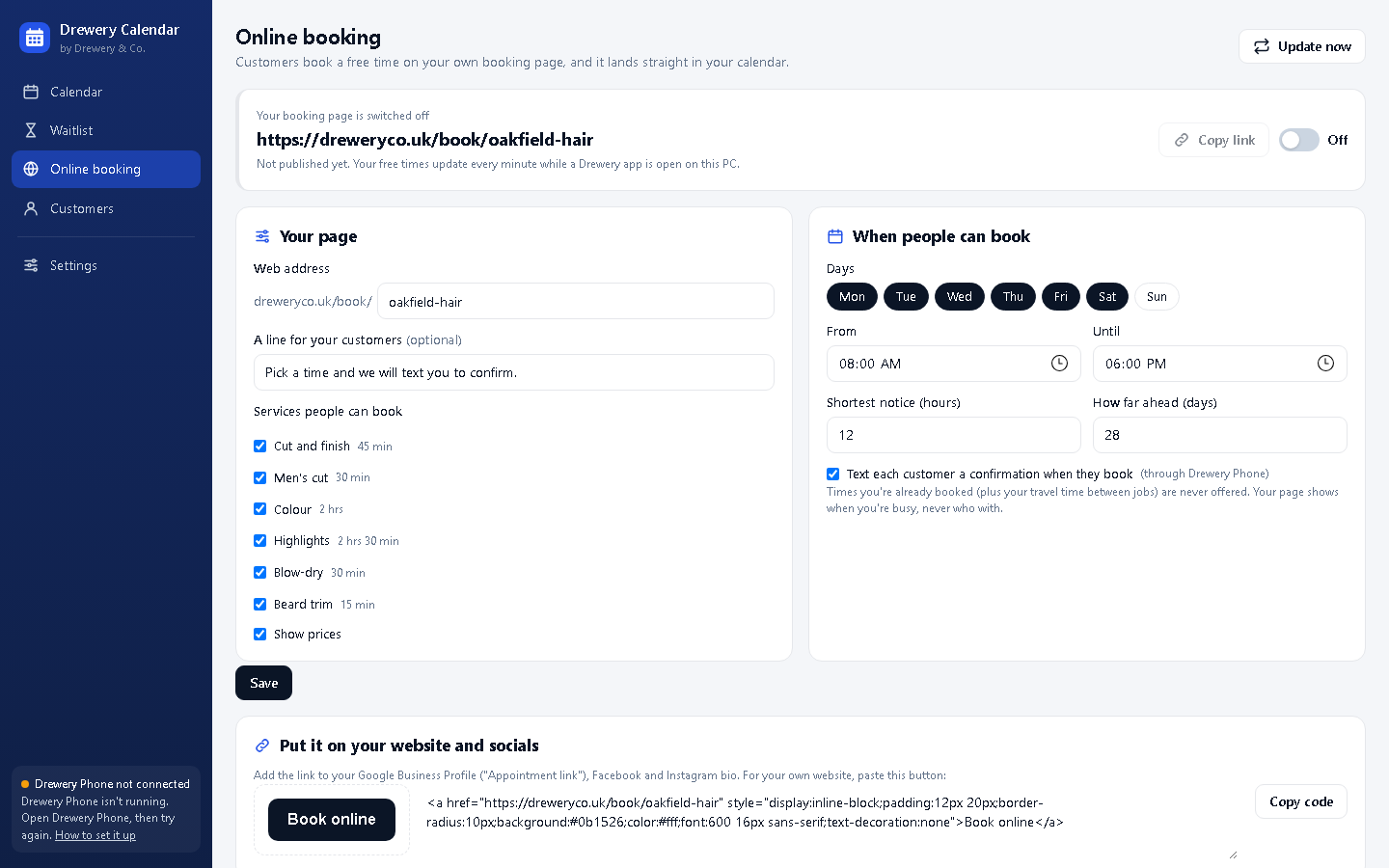
- Open Online booking.
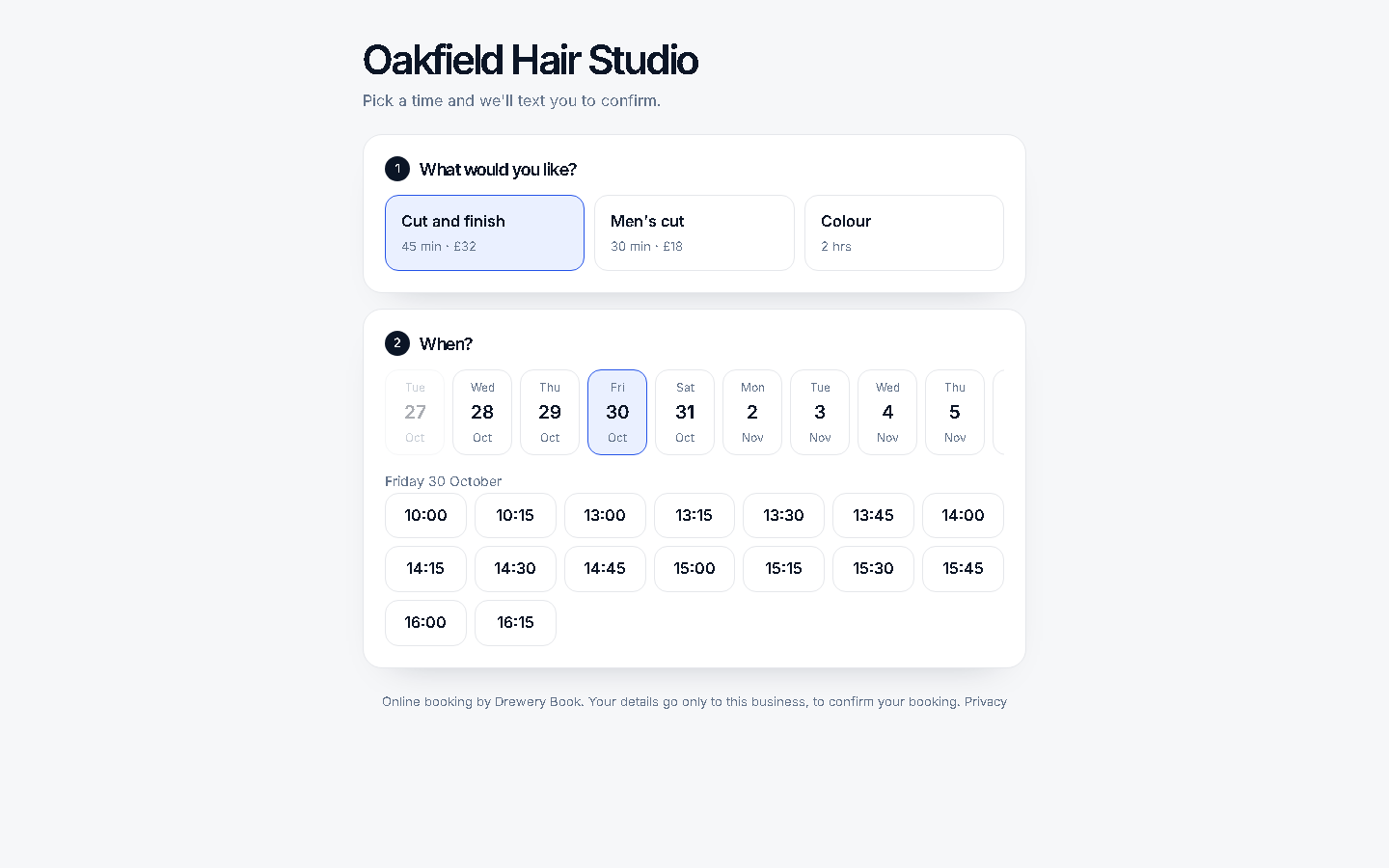
- Choose your web address, for example oakfield-hair gives dreweryco.uk/book/oakfield-hair.
- Tick the services people can book, the days you take bookings, your hours, the shortest notice and how far ahead.
- Press Save, then switch it On.
Times you're already booked, plus your travel time between jobs, are never offered.
#Use your own web address (optional)
Your page can open at an address you own, like book.yoursalon.co.uk, instead of dreweryco.uk/book/…. It's included, with a free security certificate.
- In Online booking, under Your own web address, type the address and press Use this address. Your page needs to be switched on first.
- The app shows one or two DNS records (usually an A record and a TXT record). Sign in to the company you bought your domain from (for example GoDaddy, 123 Reg, IONOS or Cloudflare), open its DNS settings, and add each record exactly as shown. Some providers want only the first part of the host: for book.yoursalon.co.uk, just book.
- Come back to Online booking. The status changes from Waiting for your records to Nearly there once they're found, then to Live when the security certificate is ready. That usually takes a few hours, and can take up to a day.
Your dreweryco.uk/book/ address keeps working too, so links you've already shared don't break. To stop using your own address, press Remove.
#When someone books
The booking appears in your calendar within a minute, marked Booked online, with the customer added if they're new. If Kitbag Phone is running, they're texted a confirmation from your number, and reminded the day before like everyone else.
Keep a Kitbag app open during the day: that's what keeps your free times up to date. If the PC is off, bookings wait safely and arrive when it's back on.
Need a hand?
Email help@dreweryco.uk or use the contact form, and we'll talk you through it.
 All six apps. One window.