
How to set up Kitbag Tax
Kitbag Tax keeps your income, expenses, mileage and receipts together, and keeps a running estimate of what you'll owe HMRC. It's an estimate to help you plan, not tax advice.
#Download and install
- Go to dreweryco.uk/downloads and press Download under Kitbag Tax.
- Open the file you downloaded (Kitbag-Tax-Setup) and follow the installer. It takes under a minute.
- If Windows shows "Windows protected your PC", press More info, then Run anyway. This appears for new apps that Windows hasn't seen many times yet.
- Kitbag Tax opens when it's installed, and adds a shortcut to your Start menu and desktop.
You need a Windows 10 or 11 PC. Your data stays on that computer.
#Add your licence key
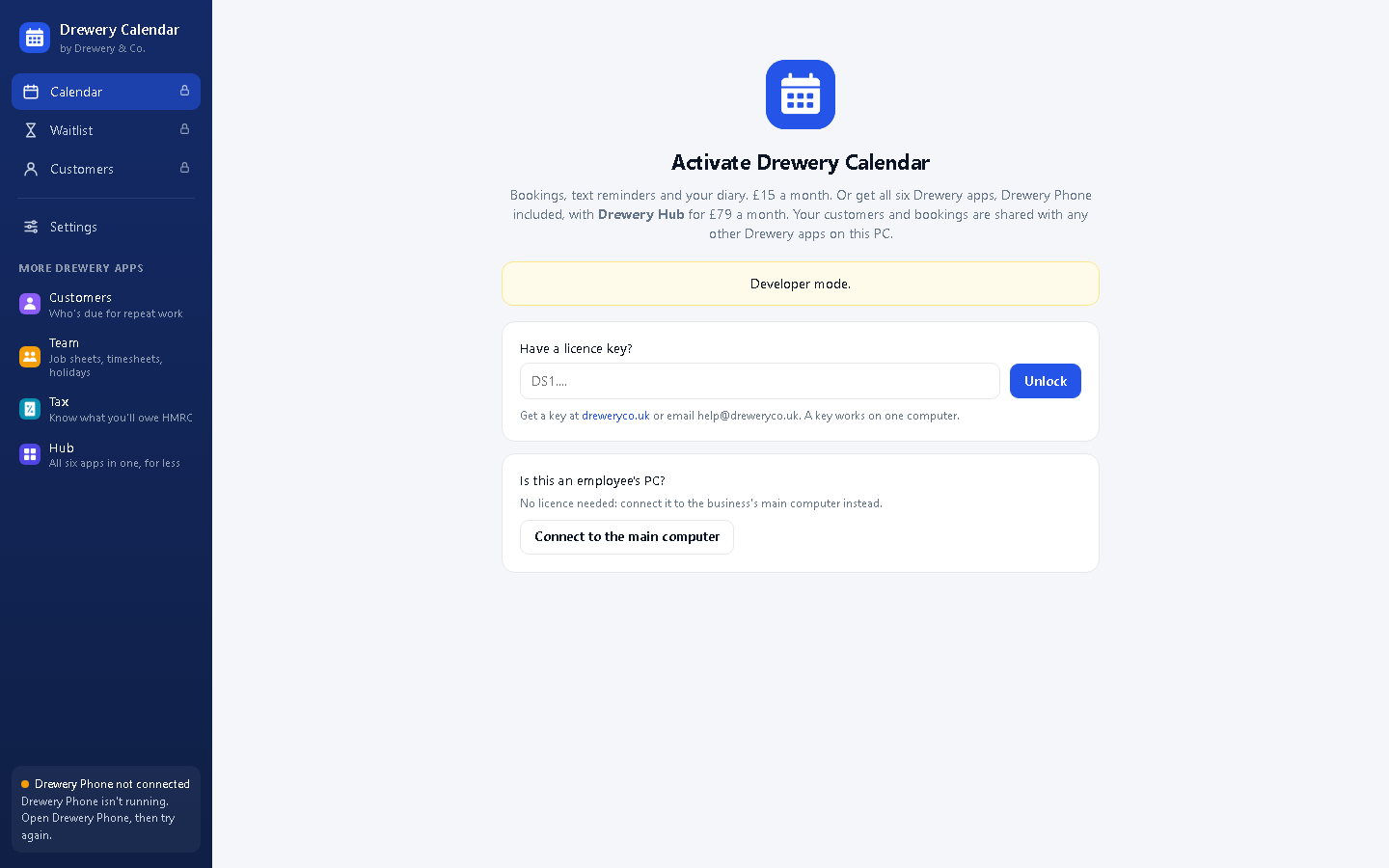
Kitbag Tax opens on the Activate screen until it has a key.
- Don't have a key yet? Ask for a free 14-day trial, or request a licence. Your key arrives by email.
- Copy the whole key from the email (it starts with DS1.) and paste it into Have a licence key?
- Press Unlock. The computer needs to be online the first time.
Each key works on one computer. Your team can still use it from their own PCs and phones: see Team access. When you renew, the key stays the same and the app updates itself.
#Tell it about your tax
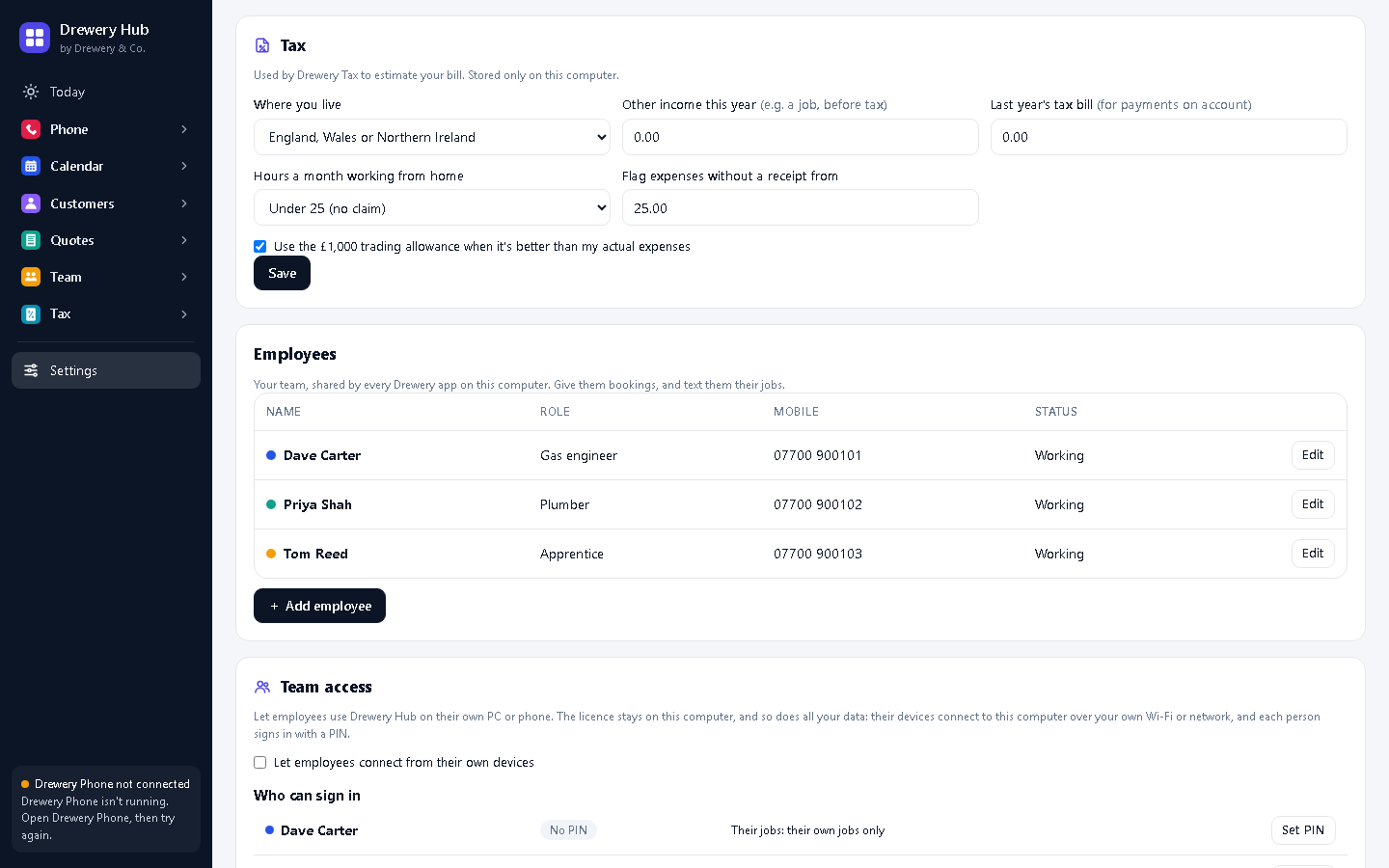
In Settings → Tax:
- Where you live: Scotland has different Income Tax rates.
- Other income this year: for example wages from a job, before tax.
- Last year's tax bill: used to work out payments on account.
- Hours a month working from home: for the flat-rate home expense.
- Leave Use the £1,000 trading allowance when it's better ticked.
Press Save.
#Add your income and expenses
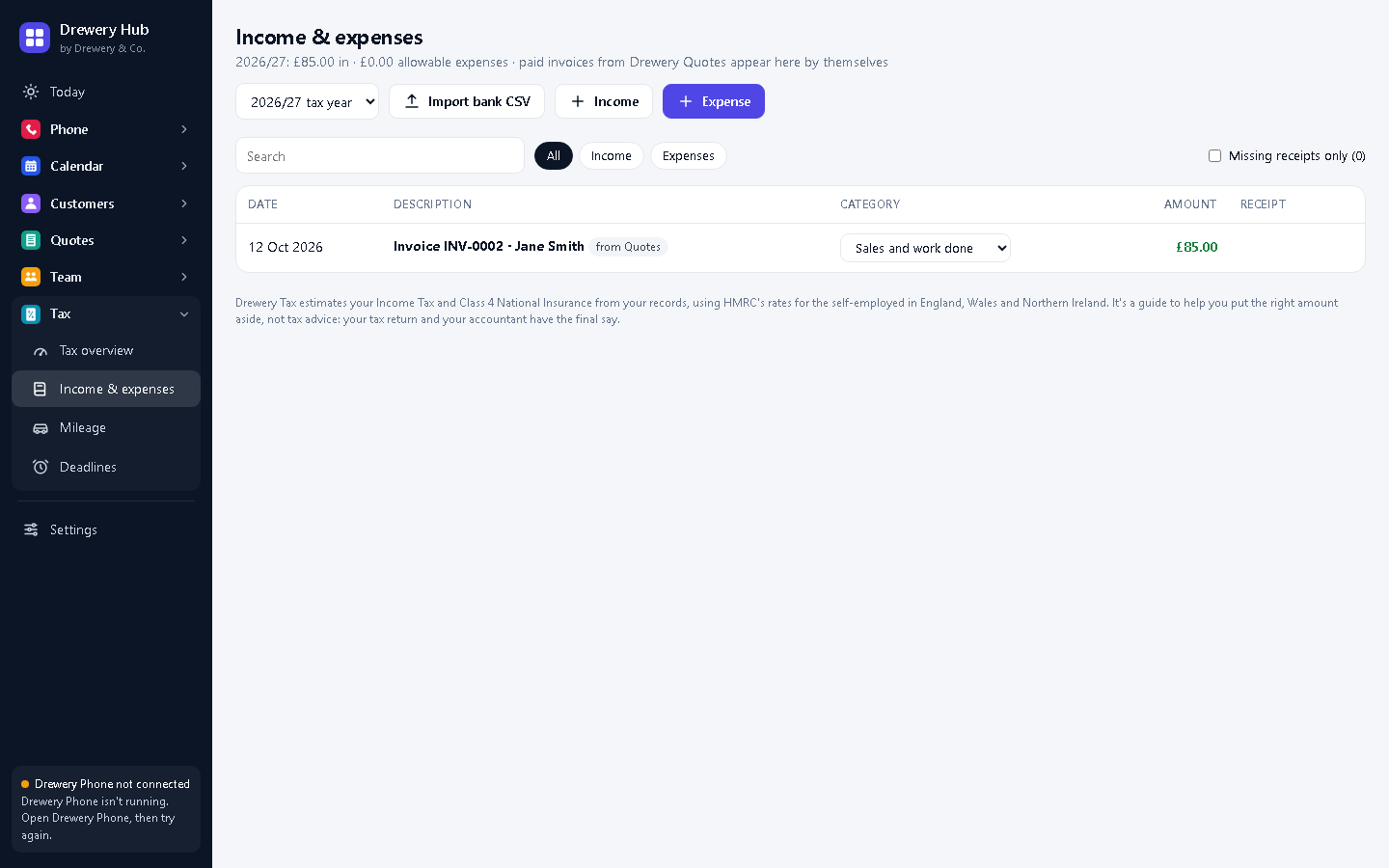
In Income & expenses:
- Invoices paid in Kitbag Quotes come in by themselves.
- Press Import bank CSV to bring in your bank statement. Kitbag Tax sorts each line into a category and learns from your corrections.
- Add anything else by hand, with a photo of the receipt.
#Log your mileage
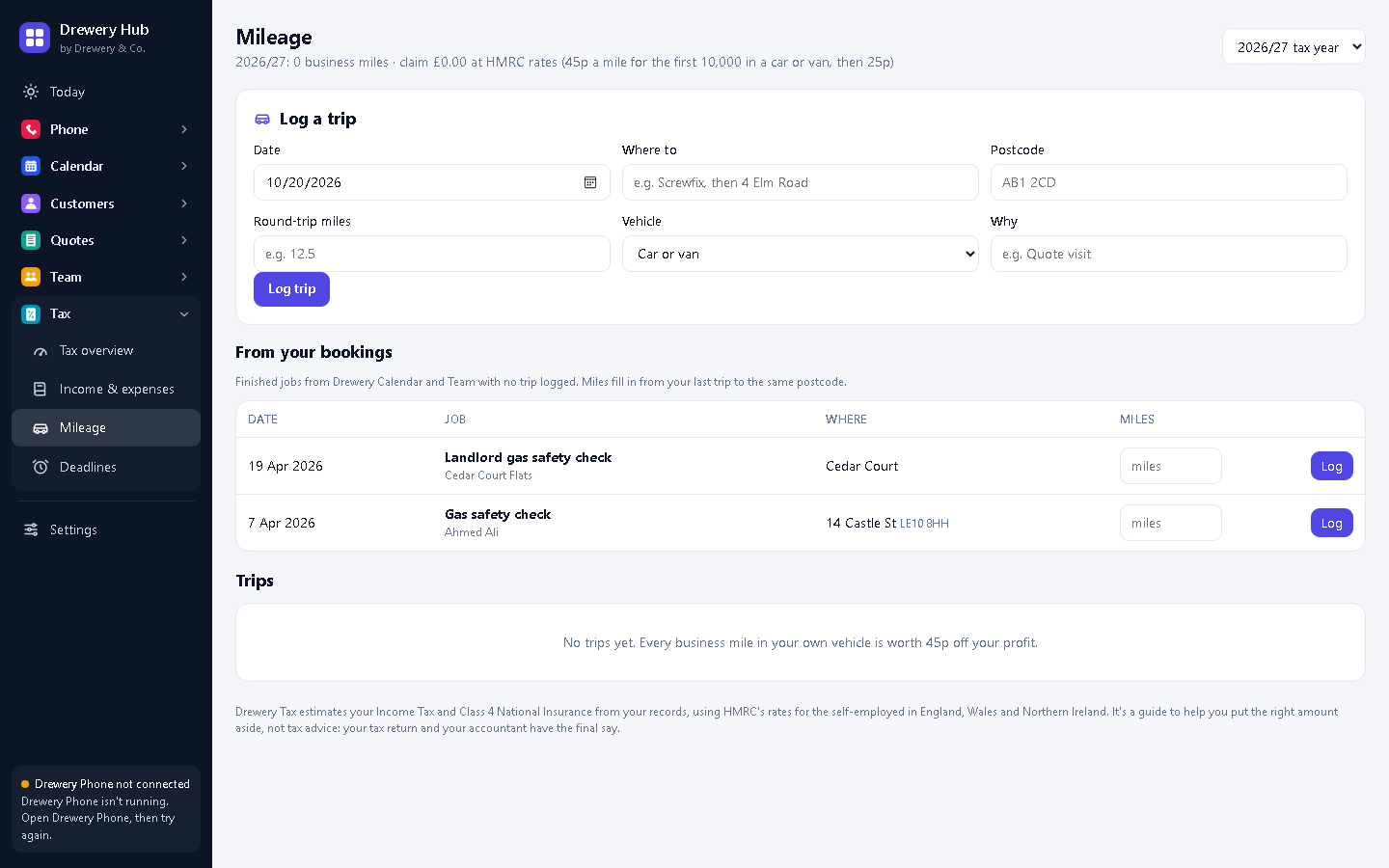
In Mileage, log business trips, or add the trips it suggests from your bookings in one click. It works out your claim at HMRC's 45p and 25p rates.
#Check your tax so far
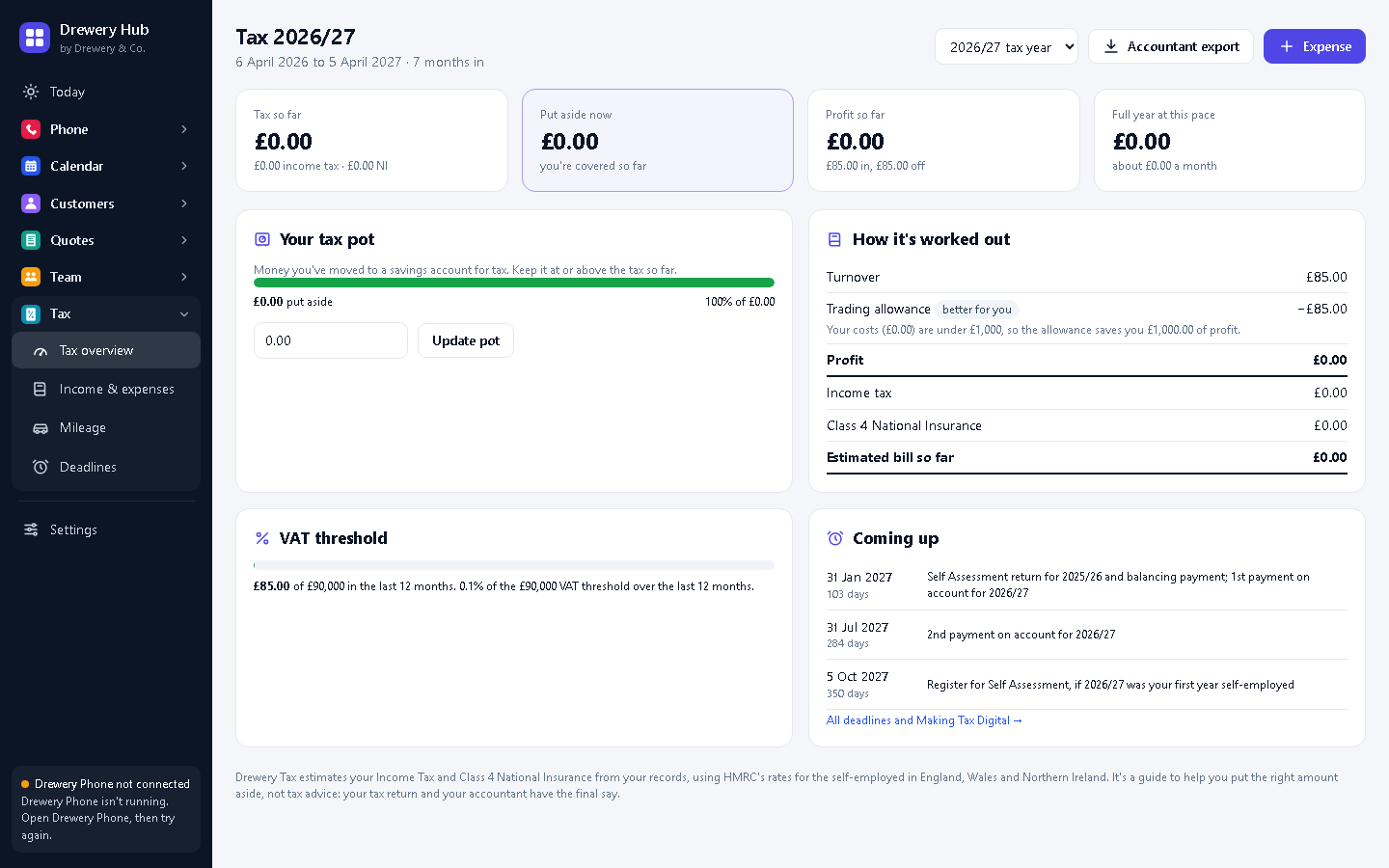
Tax overview shows your estimated bill for the year, how much to put aside, and your tax pot.
#Deadlines and Making Tax Digital
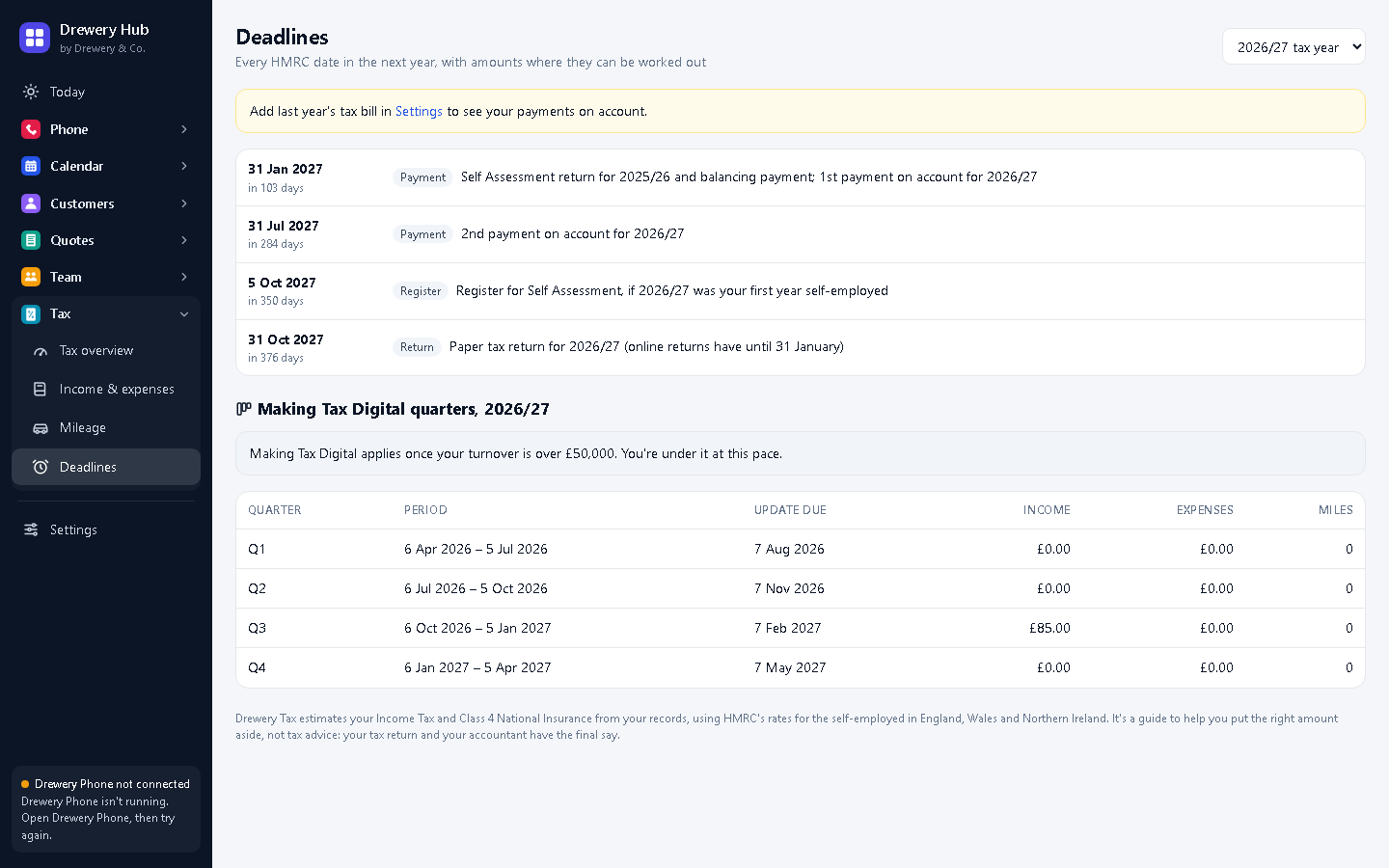
Deadlines lists your payment and filing dates, your Making Tax Digital quarters if they apply to you, and warns you before you reach the VAT threshold.
Need a hand?
Email help@dreweryco.uk or use the contact form, and we'll talk you through it.
 All six apps. One window.