
 Drewery add-on
Kitbag Pay
Get paid by card, straight from the invoice.
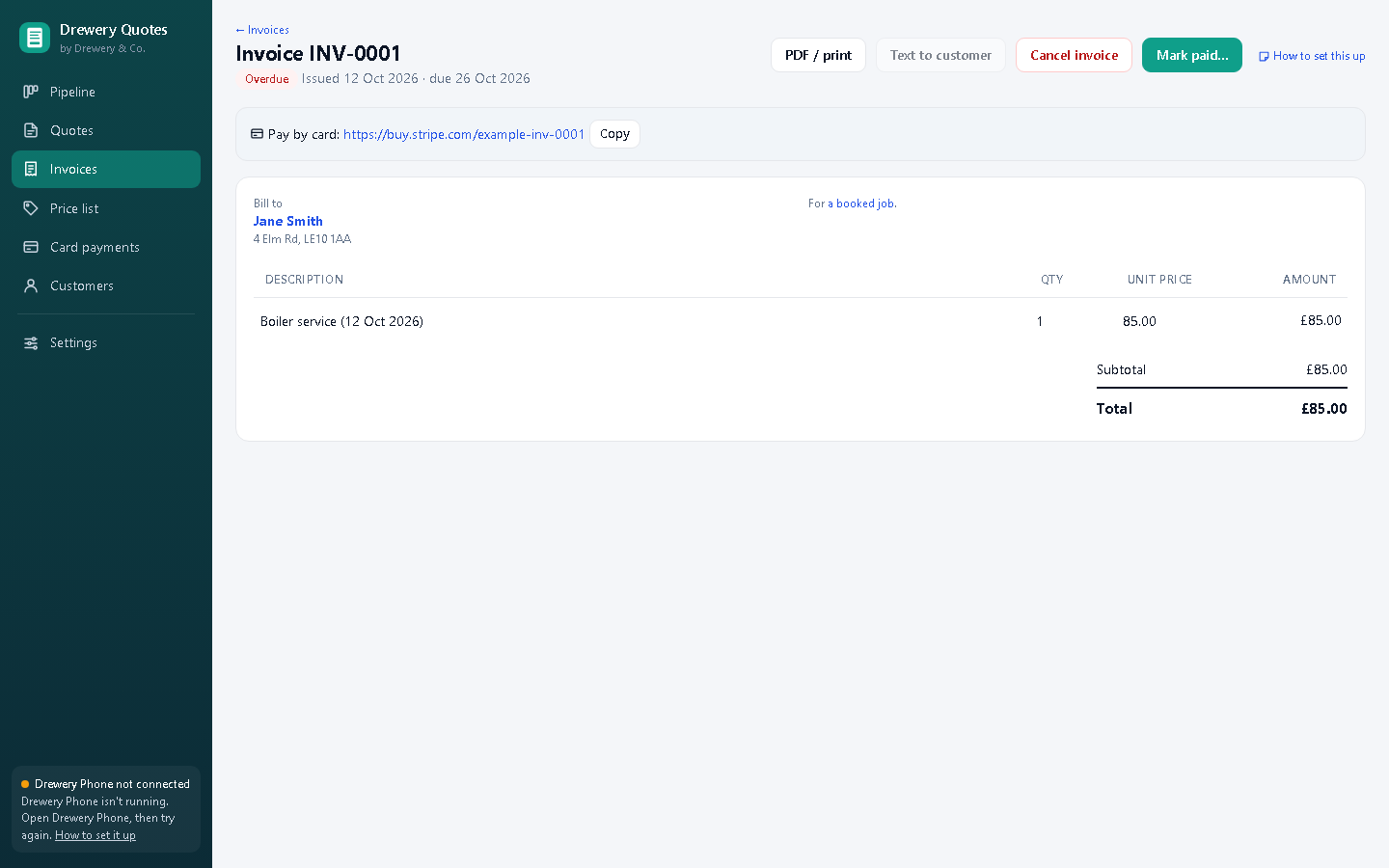
Every invoice you text gets a "Pay by card" link. Your customer taps it, pays on Stripe's secure page, and the money goes straight into your own Stripe account. The invoice marks itself paid. An add-on for Drewery Quotes or Hub.

No fee from us on any payment.
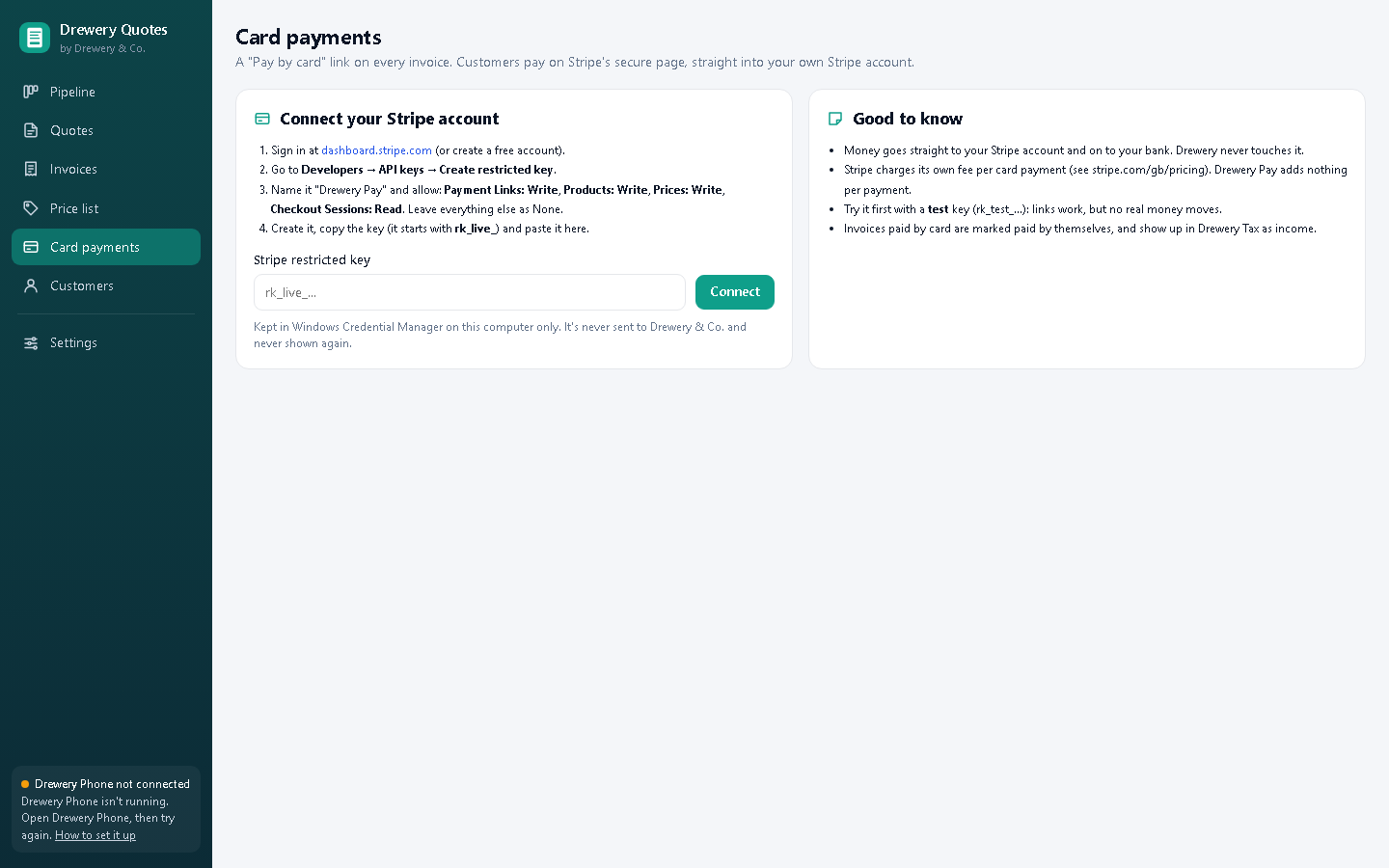
Kitbag Pay connects to your own Stripe account, so you pay Stripe's standard card fee and nothing else. We never touch the money or see card details: payments go from your customer to Stripe to your bank.
Everything in Kitbag Pay
Pay by card link
Added to every invoice you text, and printed on the PDF.
Marks itself paid
Within about 5 minutes of a payment, the invoice is marked paid by card.
One payment per link
Each link takes exactly the invoice total once, then closes.
Changed invoice, new link
Edit the invoice and the old link is switched off before a new one's made.
In payment reminders too
Overdue reminders include the card link, so paying is one tap.
Deposits too
Deposit invoices get a link like any other.
Your key stays on your PC
Kept in Windows Credential Manager, never sent to us, never shown again.
Into your tax records
Card payments count as income in Kitbag Tax, like any paid invoice.
Better with the other Kitbag apps
Each Kitbag app works on its own. Put two or more on the same PC and they share your customers, diary and team.
- Works on every invoice in Kitbag Quotes or Kitbag Hub
- Invoices are texted, with the link, through Kitbag Phone
- Paid invoices go into Kitbag Tax as income by themselves
Do I need a Stripe account?
Yes. It's free to open at stripe.com, and Stripe pays card payments into your bank, usually within a few days. You'll need to be 18 or over to open one.
What does it cost per payment?
Only Stripe's own card fee (see stripe.com/gb/pricing). Kitbag Pay is a flat £5 a month and takes nothing from your payments.
Can my customers still pay by bank transfer?
Yes. Your bank details stay on the invoice and in the text, with the card link as another option.
Can I try it without real money?
Yes. Connect a Stripe test key and pay your own test invoice with Stripe's test card number. Then switch to your live key.
Is it included in Kitbag Hub?
No, it's an add-on for £5 a month, for Quotes or Hub.
Can my staff use it on their own PC or phone?
Yes. Your licence stays on your main computer, and your staff connect to it over your own Wi-Fi: install the app on their PC and choose "Connect to the main computer", or open it in their phone's browser. Each person signs in with their own PIN, and you choose whether they see just their own jobs or the whole office.
How do I buy it?
Request a licence and we'll email an invoice. Pay by bank transfer, and your licence key arrives by email. Each key works on one computer. Choose how many months you want (1 to 120), and nothing renews unless you pay the renewal invoice.
 Phone£25 a month
 Calendar£10 a month
 Customers£8 a month
 Team£15 a month
 Tax£9 a month
 Certificates£8 a month
 Book£6 a month