
 Kitbag app
Kitbag Customers
Every customer, and the work they'll need next.
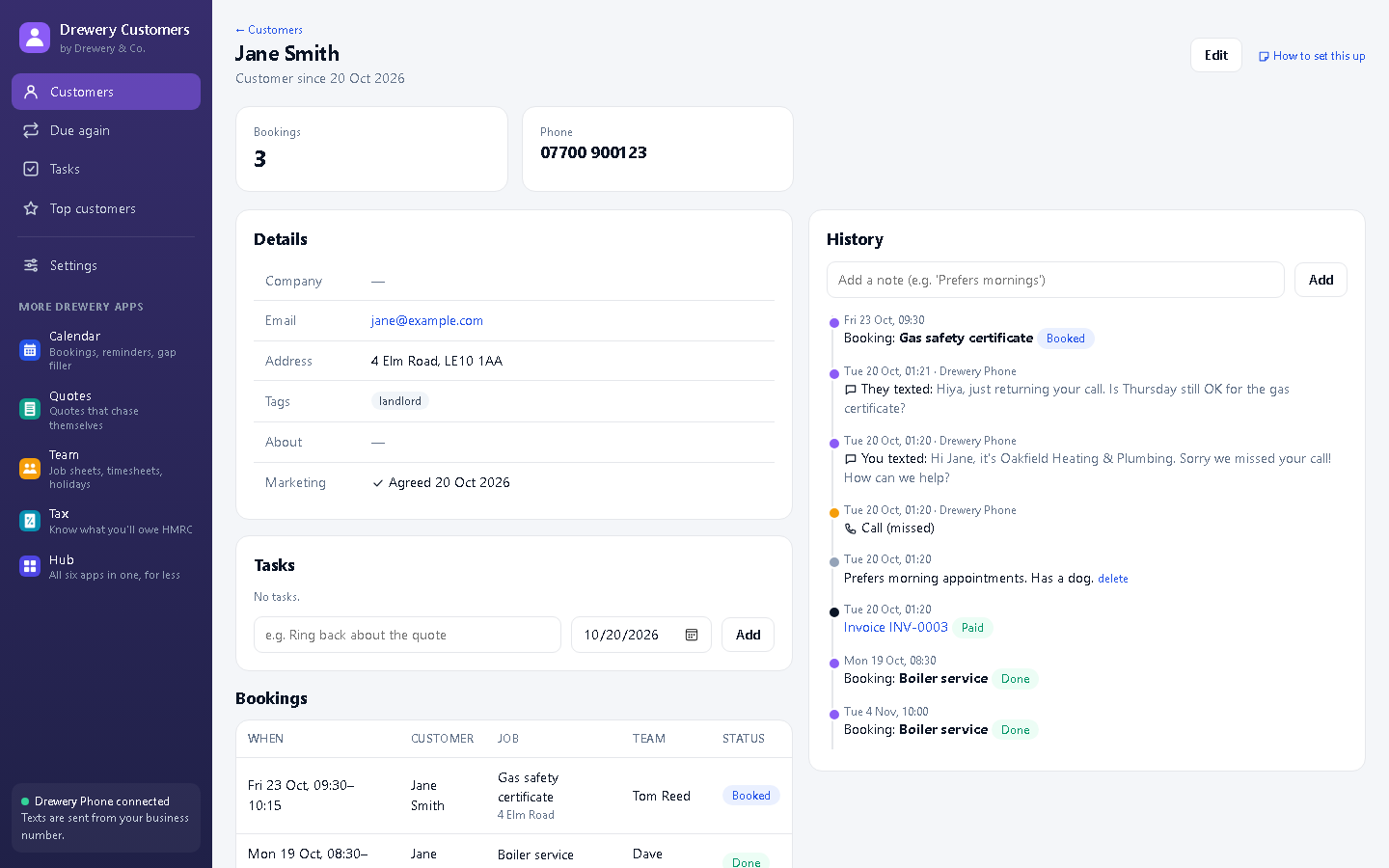
One searchable customer book with tags, notes and a full timeline: every call, text, booking, quote and invoice. Import everyone who's ever called you from Kitbag Phone in one click.
 Or get all six apps for £49 a month. Kitbag Hub includes Customers and the other five, worth £79 separately.→
Know who's due before they call someone else.
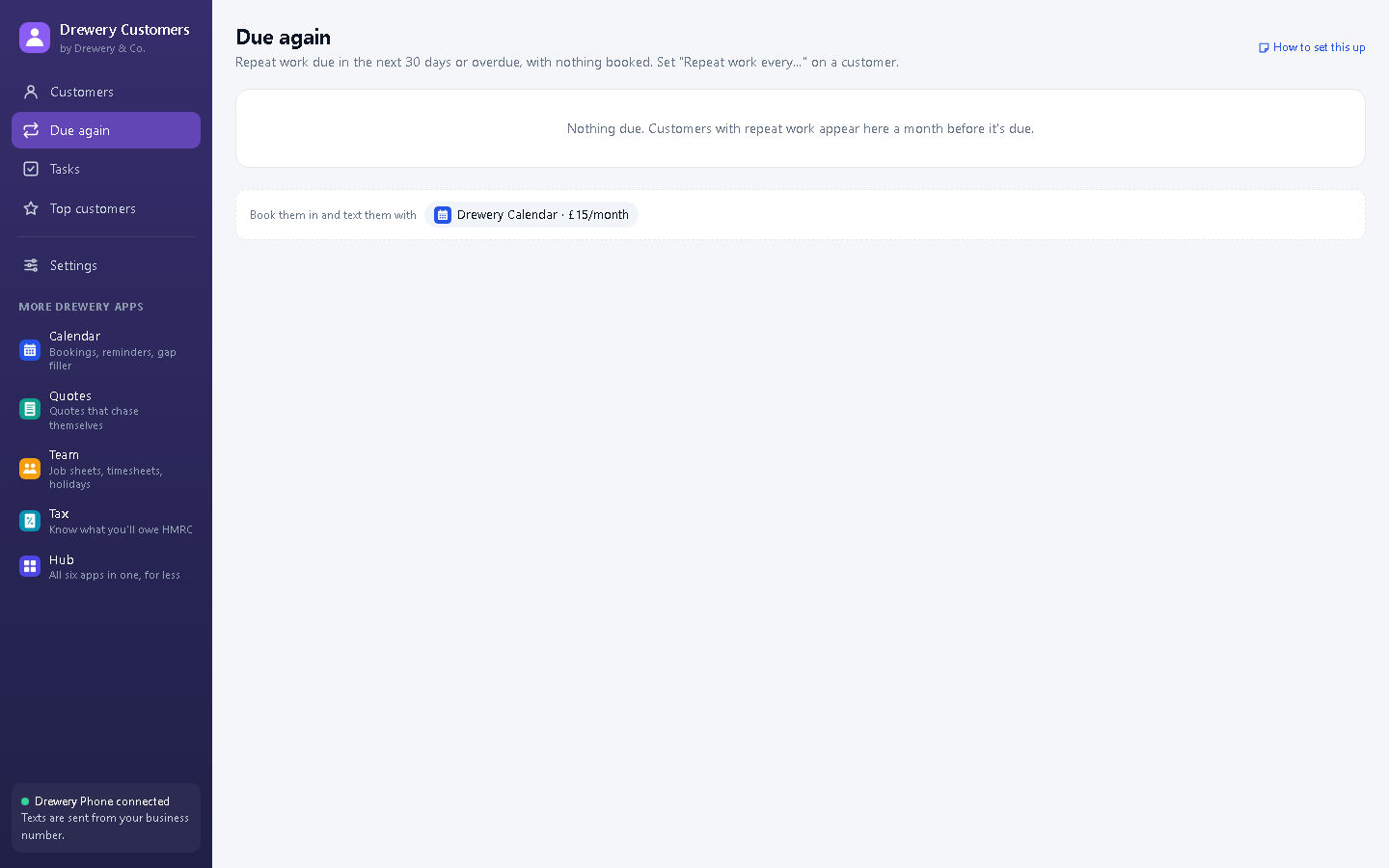
Set repeat work on a customer, like an annual boiler service or a six-monthly gas safety check. "Due again" lists everyone who's due or overdue with nothing booked, and texts them a reminder in one click.
Everything in Kitbag Customers
Search and tags
Find anyone by name, phone, email or postcode. Tag landlords, VIPs, repeat customers.
Full timeline
Calls, texts, bookings, quotes, invoices and notes, newest first.
Import from Phone
Everyone who's called or texted you becomes a customer in one click.
Notes
Gate codes, pets, preferences: written down where everyone can see them.
What they're worth
See how many jobs, what's owed and what they've paid.
Employees
Add your team in Settings so their work shows against each customer.
Tasks New
"Ring Jane back Tuesday": follow-ups on a customer, so nothing slips.
Top customers New
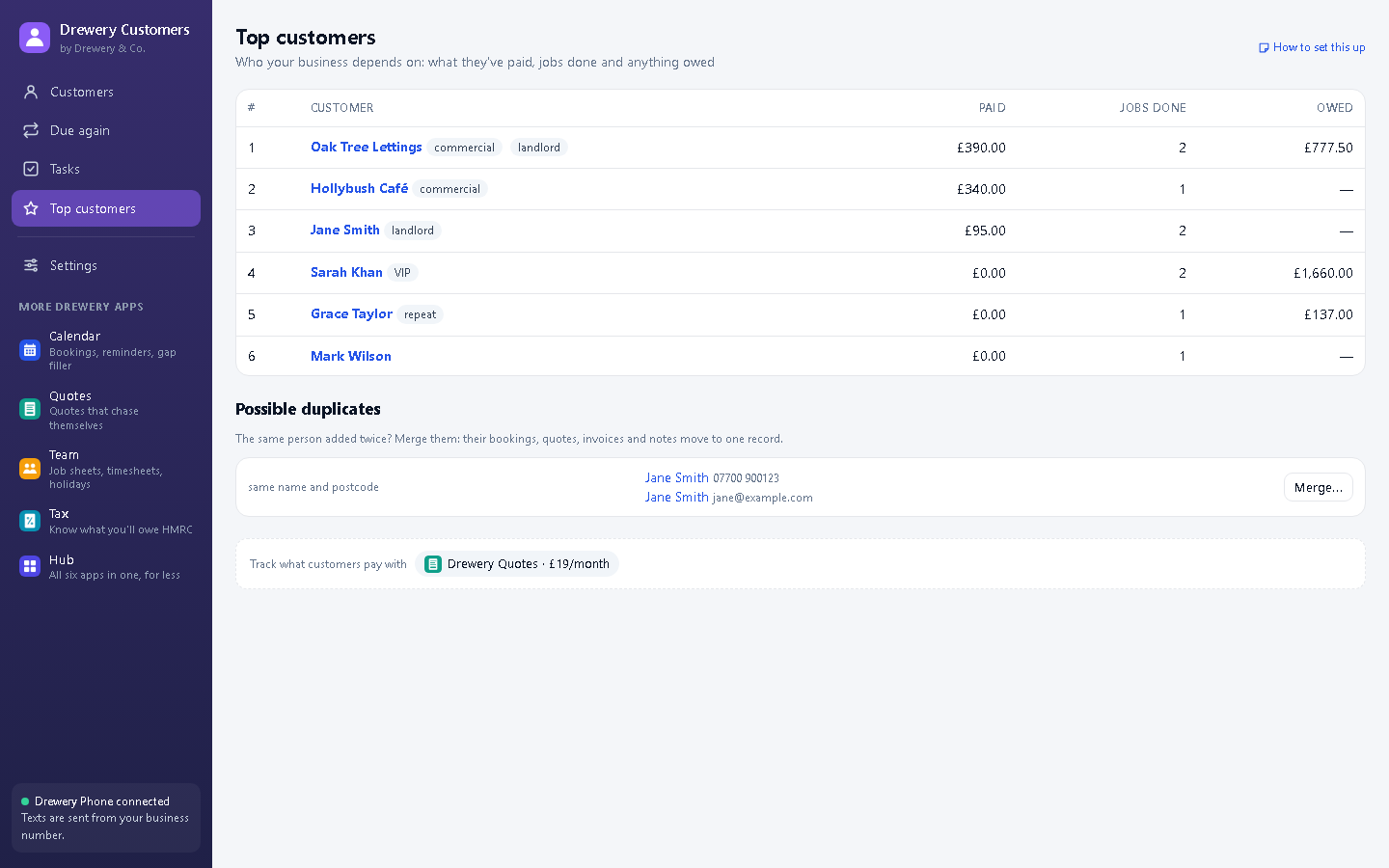
Who your business depends on, ranked by what they've paid.
Duplicate finder New
Spot the same person added twice and merge them, history and all.
Import and export New
Bring customers in from a spreadsheet, or take them all out as a CSV, any time.
Consent record New
Note who has agreed to offers by text, and when, for UK marketing rules.
Better with the other Kitbag apps
Each Kitbag app works on its own. Put two or more on the same PC and they share your customers, diary and team.
- Every Kitbag app shares this customer list
- Kitbag Phone's Customer button opens their record
- Book or quote straight from a customer's page
Want them all?
Kitbag Hub is all six Kitbag apps in one window, Kitbag Phone included, for £49 a month (worth £79 separately, so you save £30).
Where's my customer data kept?
On your own PC, not on our servers. Back up your PC as you normally would.
Can I text everyone at once?
No, on purpose: UK rules (PECR) limit marketing texts. Due-again reminders go one customer at a time, to people you already work for.
Can my staff use it on their own PC or phone?
Yes. Your licence stays on your main computer, and your staff connect to it over your own Wi-Fi: install the app on their PC and choose "Connect to the main computer", or open it in their phone's browser. Each person signs in with their own PIN, and you choose whether they see just their own jobs or the whole office.
How do I buy it?
Request a licence and we'll email an invoice. Pay by bank transfer, and your licence key arrives by email. Each key works on one computer. Choose how many months you want (1 to 120), and nothing renews unless you pay the renewal invoice.
 Phone£25 a month
 Calendar£10 a month
 Quotes£12 a month
 Team£15 a month
 Tax£9 a month
 Certificates£8 a month
 Book£6 a month
 Pay£5 a month