
 Vanity app
Vanity Customers
Every client, remembered.
Notes, colour formulas, allergies and preferences, with every visit, text and payment on one page. And a list of who's overdue for their next appointment, ready to text.
 Or get all six apps for £49 a month. Vanity Hub includes Customers and the other five, worth £79 separately.→
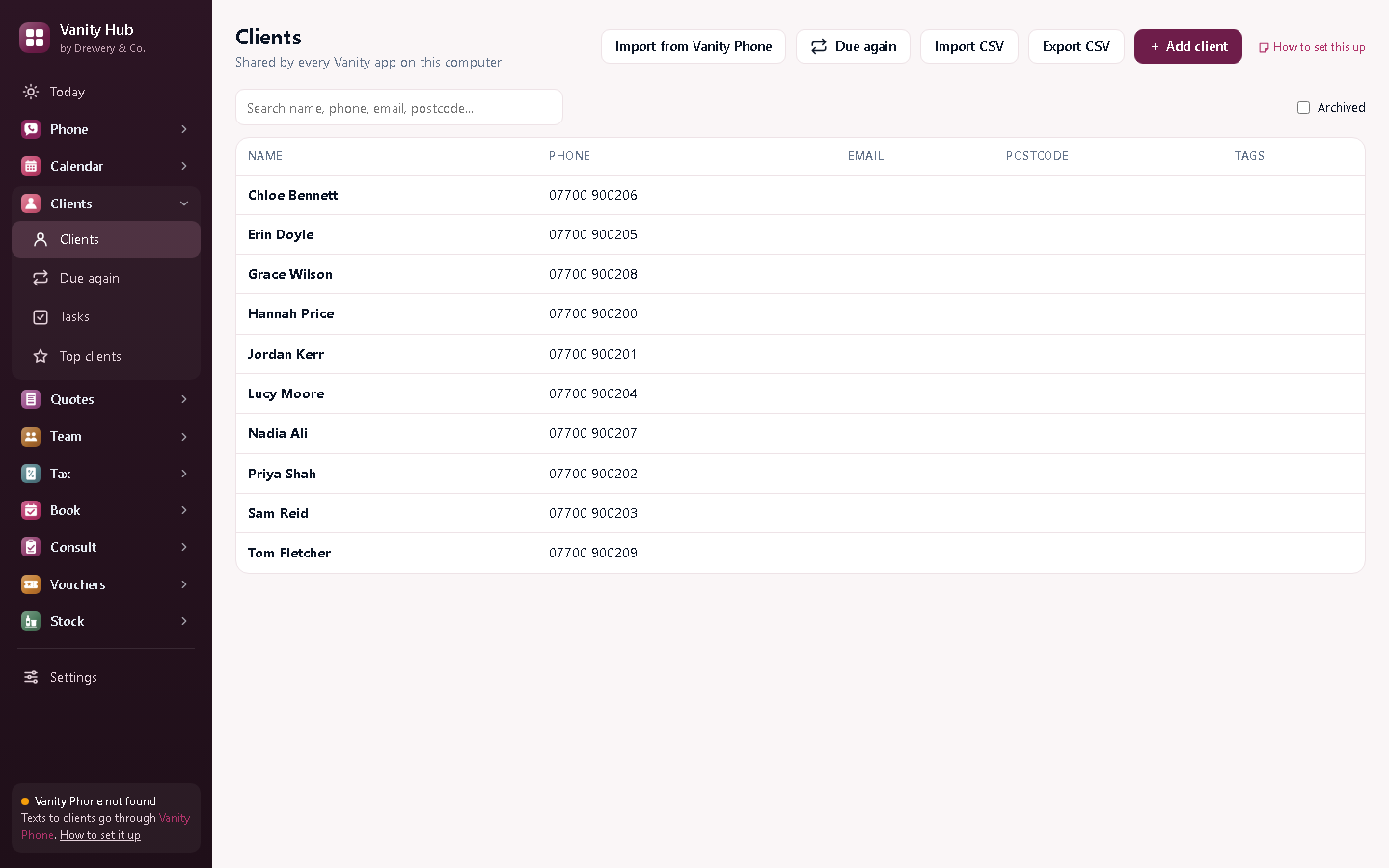
Know who's overdue before they go elsewhere.
Due again lists clients who are due their next colour, cut or treatment, based on how often they come. Text them before they book with someone else.
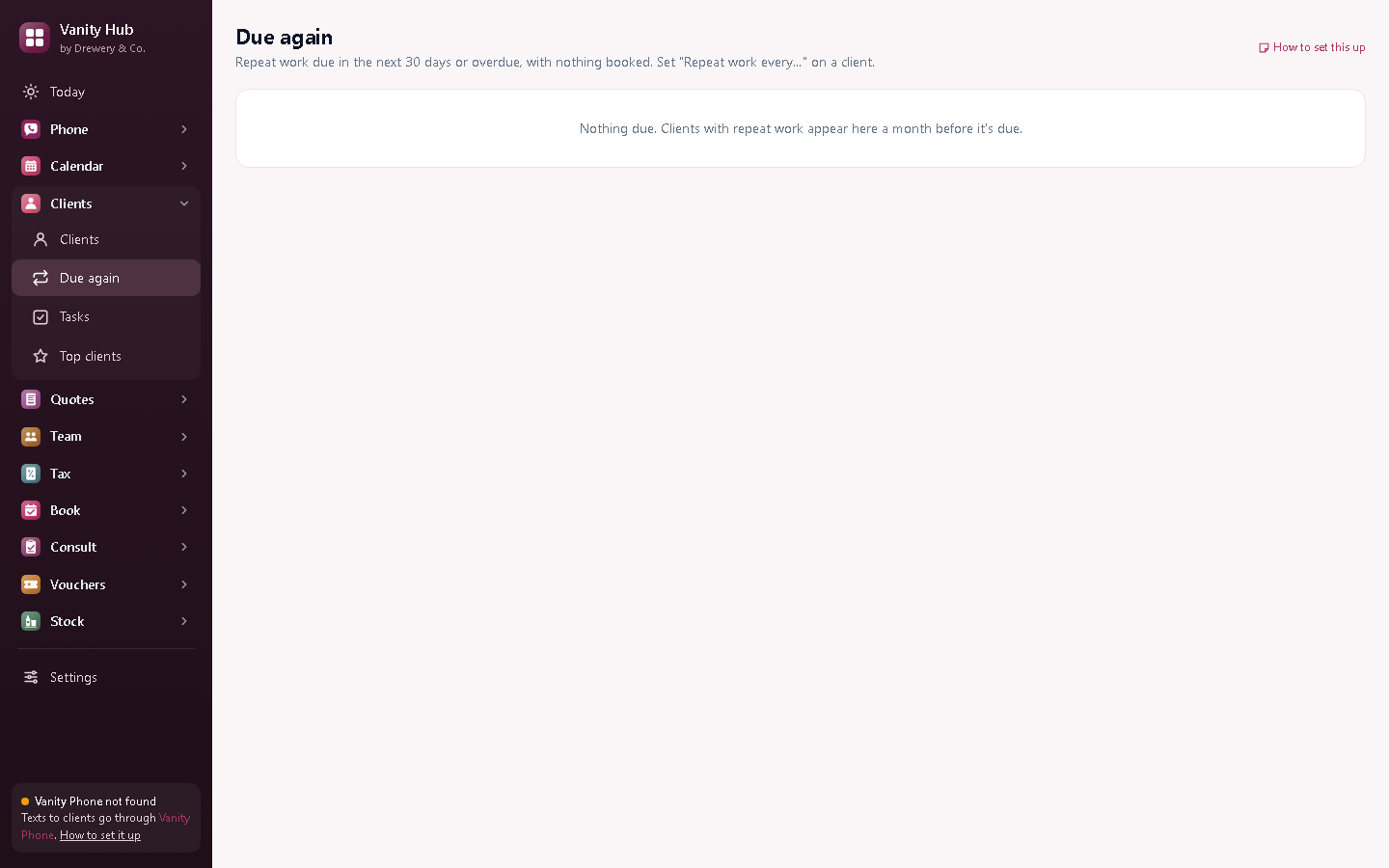
Every client, remembered.
Colour formulas, patch tests and notes, on one page.
Start a free 14-day trialEverything in Vanity Customers
Every client, searchable
Name, phone, email or postcode. Tags for anything: VIP, colour client, wedding.
Full history
Every appointment, text, quote and payment on one timeline.
Notes
Colour formulas, patch tests, allergies, how they like it: right where you'll see it.
Due again
Who's overdue for their next visit, ready to text.
Tasks
Reminders for anything you need to do, like a call-back about a wedding.
Top clients
Who you've earned the most from, so you know who to look after.
Duplicate finder
Spot the same person added twice, and merge them.
Import and export
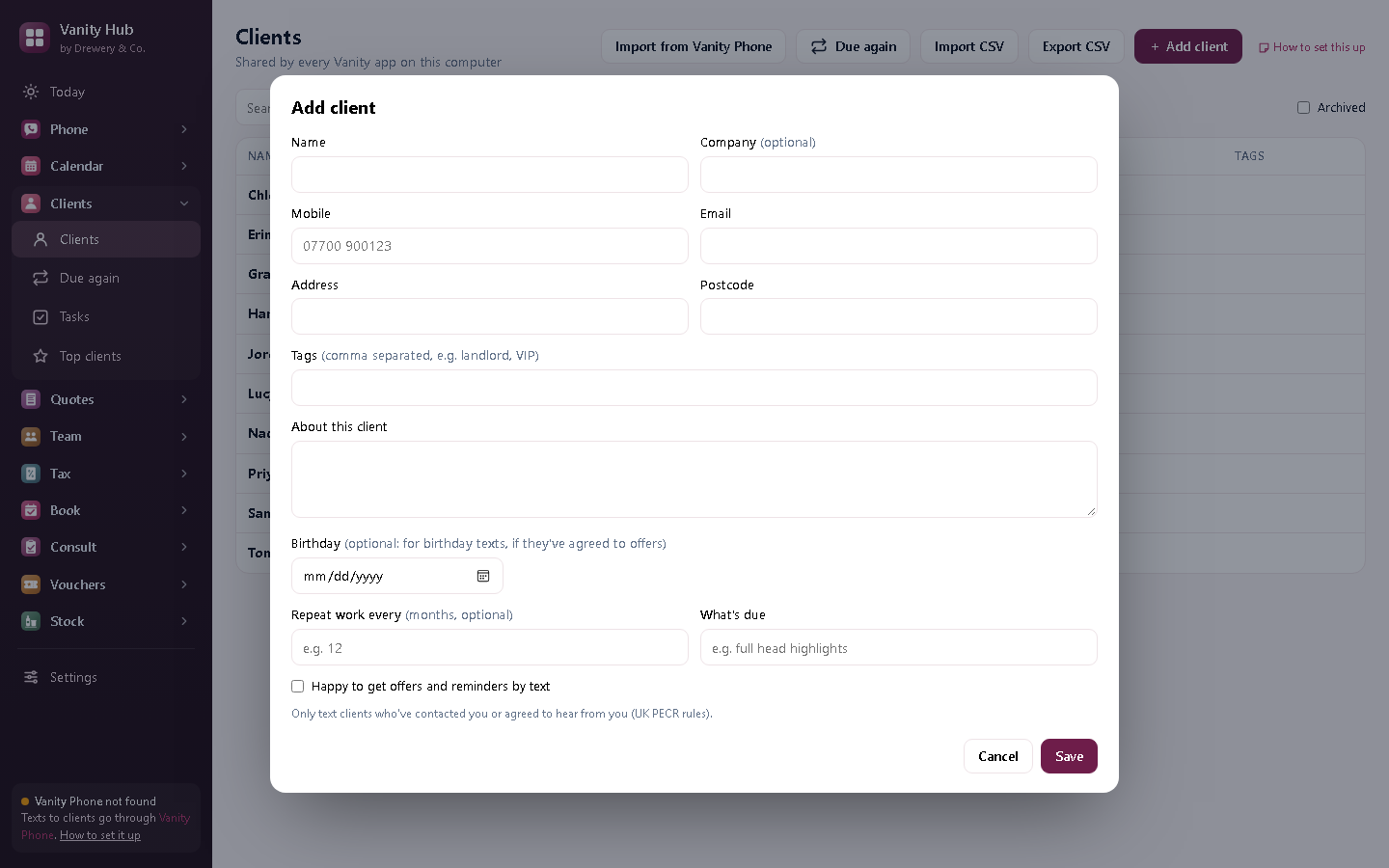
Bring clients in from a spreadsheet, or take them all out as a CSV, any time.
Consent record
Who's agreed to offers by text, and when, as the law asks.
Better with the other Vanity apps
Each Vanity app works on its own. Put two or more on the same PC and they share your clients, column book and team.
- Callers from Vanity Phone are added for you
- Appointments from Vanity Calendar build each client's history
- Invoices from Vanity Quotes show on the client
Want them all?
Vanity Hub is all six Vanity apps in one window, Vanity Phone included, for £49 a month (worth £79 separately, so you save £30).
Can I bring my clients from another system?
Yes. Export them as a spreadsheet (CSV) from your old system and press Import CSV.
Where are my clients kept?
On your own PC, never on our servers. Back up your PC as you normally would.
Can my staff use it on their own PC or phone?
Yes. Your licence stays on your main computer, and your staff connect to it over your own Wi-Fi: install the app on their PC and choose "Connect to the main computer", or open it in their phone's browser. Each person signs in with their own PIN, and you choose whether they see just their own appointments or the whole office.
How do I buy it?
Request a licence and we'll email an invoice. Pay by bank transfer, and your licence key arrives by email. Each key works on one computer. Choose how many months you want (1 to 120), and nothing renews unless you pay the renewal invoice.
 Phone£25 a month
 Calendar£10 a month
 Quotes£12 a month
 Team£15 a month
 Tax£9 a month
 Book£6 a month
 Pay£5 a month
 Consult£6 a month
 Vouchers£6 a month
 Stock£5 a month