
 Vanity add-on
Vanity Vouchers & Loyalty
Gift vouchers, loyalty cards and birthday texts.
Sell gift vouchers with their own codes, print them, and take them off the bill as they're spent. Every finished appointment is a loyalty stamp, and clients who've said yes to offers get a birthday text.




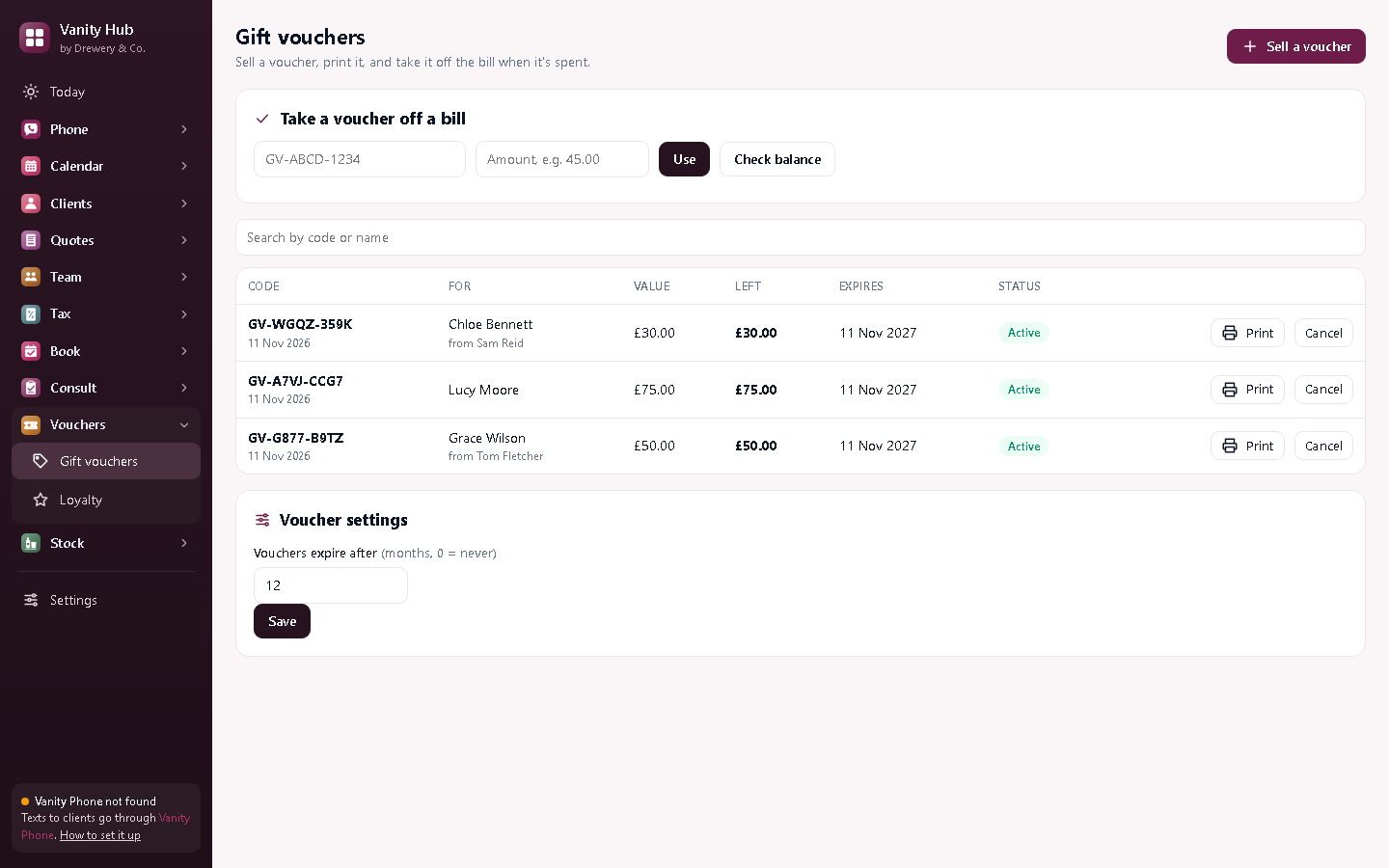
A loyalty card that fills itself.
Every appointment you mark done is a stamp. When a client fills their card (ten visits, or whatever you choose), Vanity shows their reward is ready. No paper cards, nothing to remember.
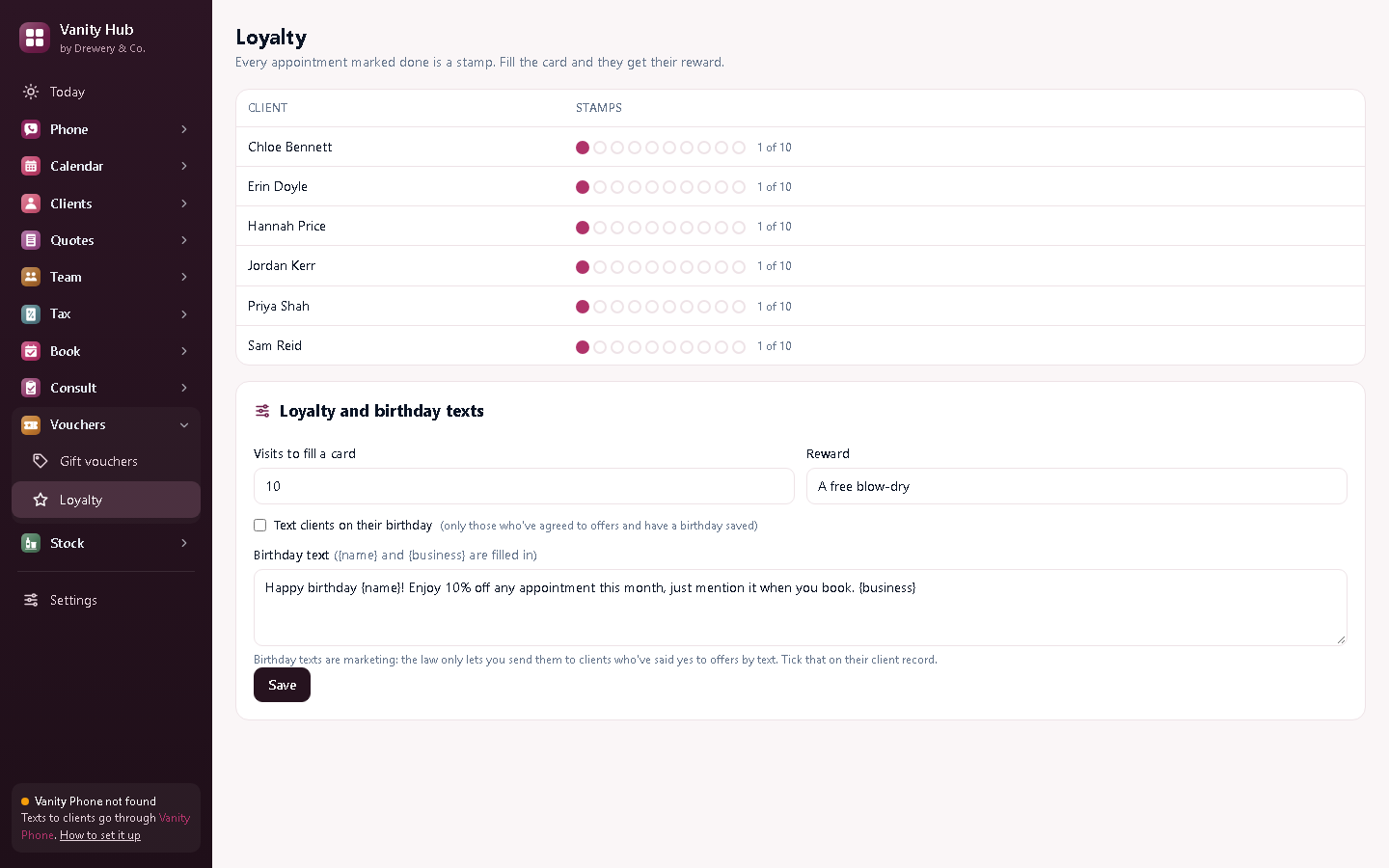
Everything in Vanity Vouchers & Loyalty
Gift vouchers
A unique code for each voucher, printed on a card that looks the part.
Balances
Spend part of a voucher now and the rest later: the balance is kept for you.
Expiry dates
Vouchers expire after the time you set, or never.
Loyalty stamps
A stamp for every finished appointment, and a reward when the card's full.
Birthday texts
A birthday text with your offer, only to clients who've agreed to offers.
Into your tax
Vouchers you sell count as income in Vanity Tax straight away.
Better with the other Vanity apps
Each Vanity app works on its own. Put two or more on the same PC and they share your clients, column book and team.
- Stamps come from finished appointments in Vanity Calendar
- Birthdays are saved on each client
- Birthday texts go out through Vanity Phone
Do I have to give vouchers an expiry date?
No. Choose any length, or never. Whatever you choose, say it clearly when you sell one.
Who gets birthday texts?
Only clients with a birthday saved who've agreed to offers by text: that's the law for marketing texts.
Can my staff use it on their own PC or phone?
Yes. Your licence stays on your main computer, and your staff connect to it over your own Wi-Fi: install the app on their PC and choose "Connect to the main computer", or open it in their phone's browser. Each person signs in with their own PIN, and you choose whether they see just their own appointments or the whole office.
How do I buy it?
Request a licence and we'll email an invoice. Pay by bank transfer, and your licence key arrives by email. Each key works on one computer. Choose how many months you want (1 to 120), and nothing renews unless you pay the renewal invoice.
 Phone£25 a month
 Team£15 a month
 Tax£9 a month
 Book£6 a month
 Pay£5 a month
 Consult£6 a month
 Stock£5 a month