
 Vanity add-on
Vanity Consult
Patch tests and consultations, signed and filed.
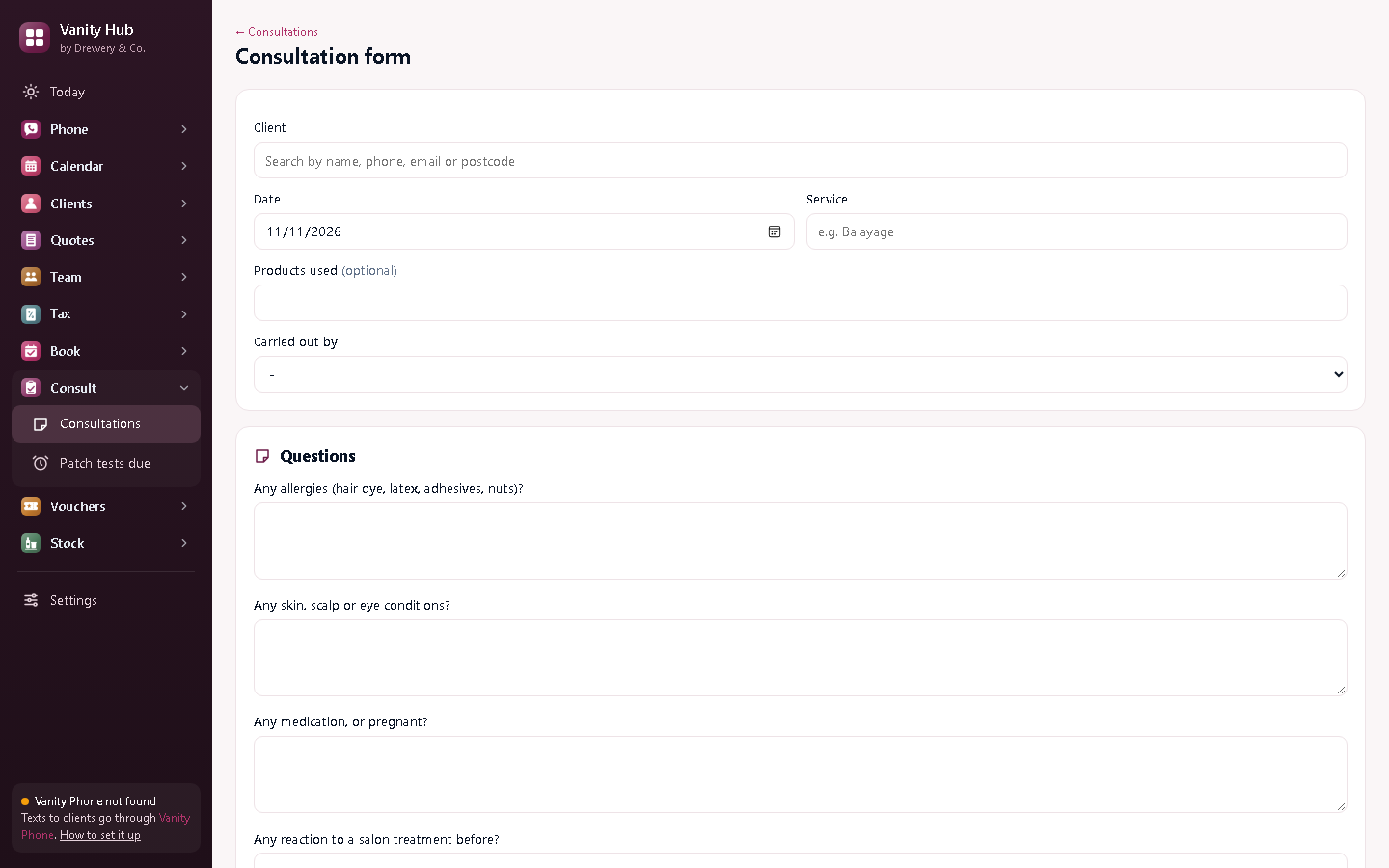
Record every patch test and consultation form on screen, with the client's signature, and keep them with their record. Vanity warns you before you book a colour or lash appointment without a recent clear patch test.




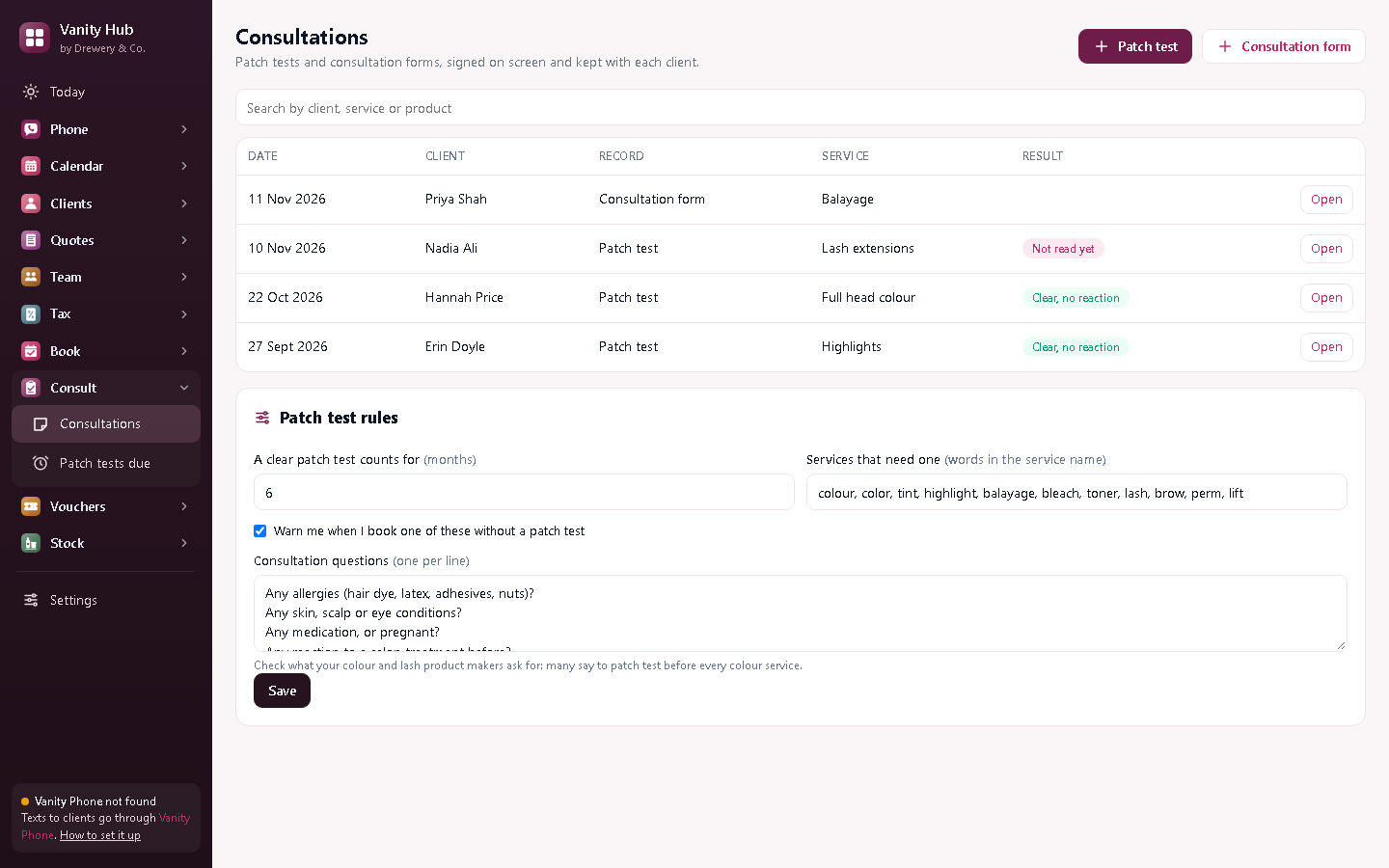
No more colour without a patch test.
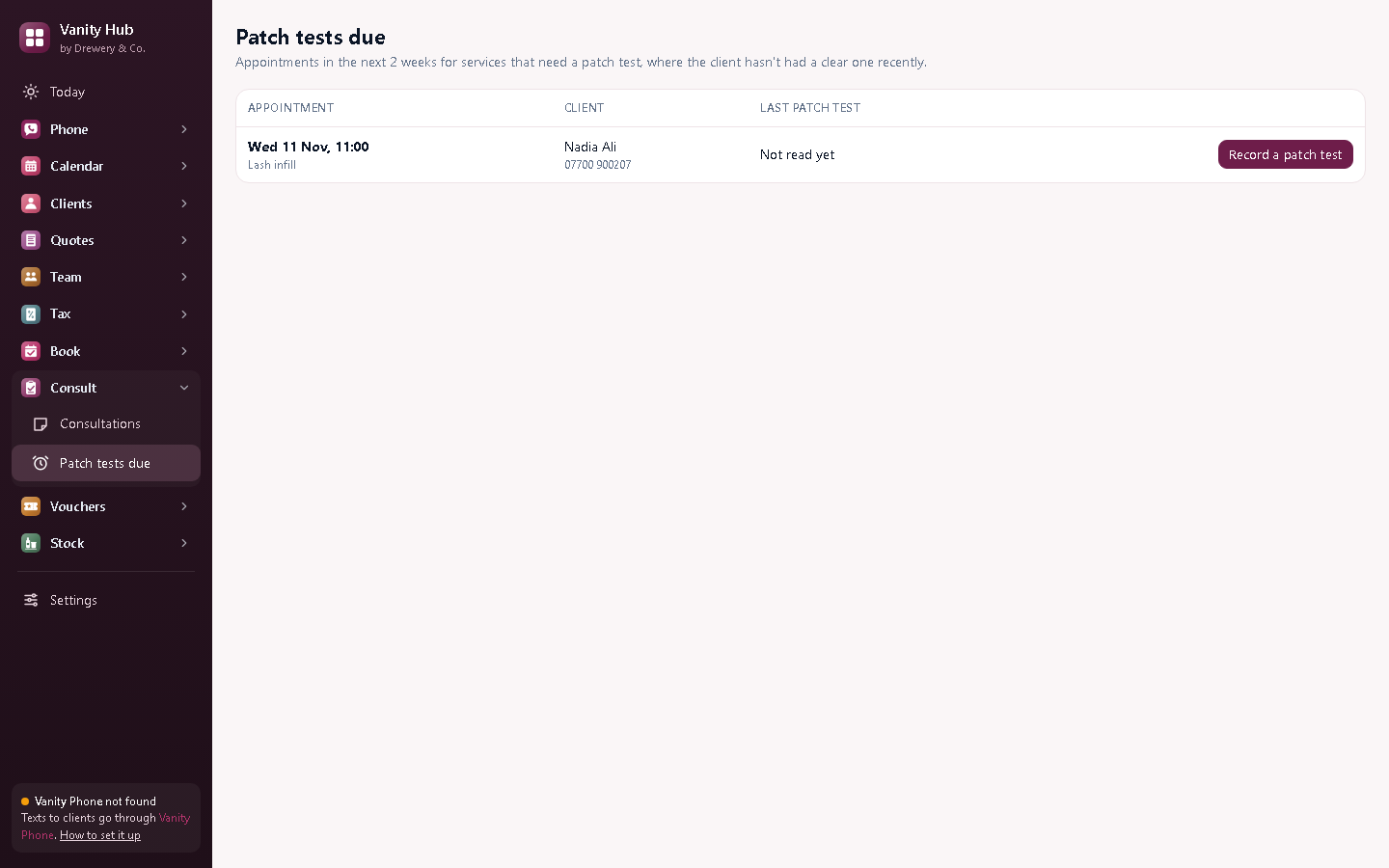
Book a colour, tint or lash appointment for a client with no recent clear patch test and Vanity stops to ask first. Patch tests due lists every appointment in the next two weeks that still needs one.
Everything in Vanity Consult
Patch tests
The product and shade tested, the date, and the result once you've read it.
Consultation forms
Your own questions: allergies, medication, skin and scalp, what they'd like.
Signed on screen
The client signs with a finger or mouse; their name and signature go on the record.
Booking warnings
A warning before booking a service that needs a patch test the client hasn't had.
Patch tests due
Every appointment in the next two weeks that still needs one, with one click to record it.
PDF copies
Print or email a copy for the client or for your files.
Your rules
How long a test counts for, which services need one, and your consultation questions.
Better with the other Vanity apps
Each Vanity app works on its own. Put two or more on the same PC and they share your clients, column book and team.
- Warnings appear in the Vanity Calendar booking screen
- Records sit with each client in Vanity Customers
- Works in Vanity Calendar, Customers, Team or Hub
How long does a patch test count for?
You choose: six months by default. Check what your colour and lash brands say: many ask for a test before every colour service.
Is this a legal requirement?
Most product makers and insurers expect a patch test before colour and lash services, and a record of it. This keeps that record for you.
Can my staff use it on their own PC or phone?
Yes. Your licence stays on your main computer, and your staff connect to it over your own Wi-Fi: install the app on their PC and choose "Connect to the main computer", or open it in their phone's browser. Each person signs in with their own PIN, and you choose whether they see just their own appointments or the whole office.
How do I buy it?
Request a licence and we'll email an invoice. Pay by bank transfer, and your licence key arrives by email. Each key works on one computer. Choose how many months you want (1 to 120), and nothing renews unless you pay the renewal invoice.
 Phone£25 a month
 Quotes£12 a month
 Tax£9 a month
 Book£6 a month
 Pay£5 a month
 Vouchers£6 a month
 Stock£5 a month