
← All setup guides

Setup guide
How to set up Vanity Consult
Vanity Consult keeps every patch test and consultation form, signed on screen, and warns you before appointment a colour or lash appointment without a recent patch test. It's an add-on: set it up from Vanity Calendar, Clients, Team or Hub.
#Add your Vanity Consult key
- Open the Vanity app you use (Calendar, Clients, Team or Hub) and go to Settings.
- Paste your Vanity Consult key (it starts with VN1.) into Add a licence key and press Add key.
- Consultations and Patch tests due appear in the menu.
#Set your patch test rules
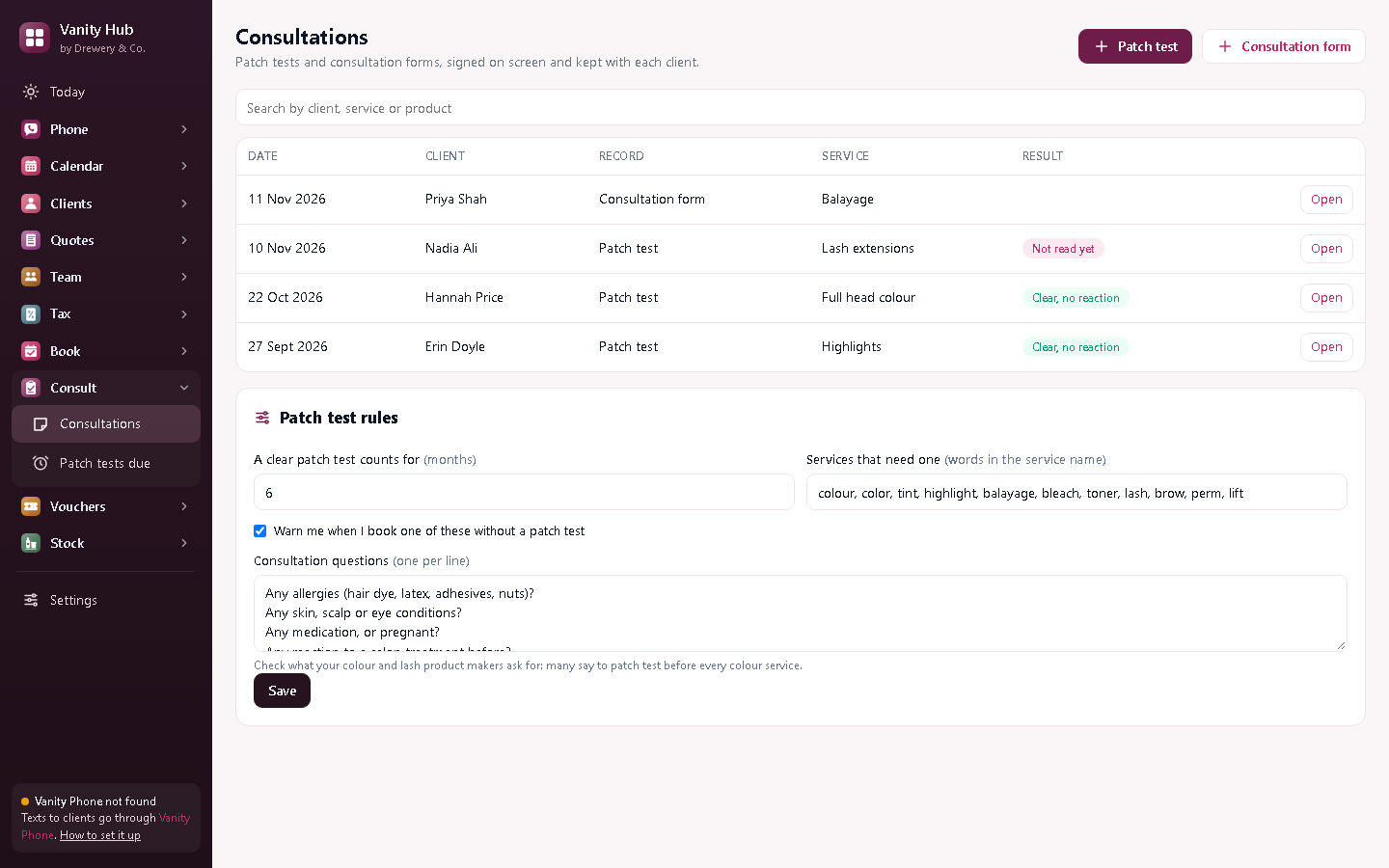
At the bottom of Consultations, under Patch test rules:
- A clear patch test counts for: six months to start with. Check what your colour and lash brands ask for: many say to test before every colour service.
- Services that need one: words in your service names, like colour, tint, lash and brow.
- Leave Warn me when I book one of these without a patch test ticked.
- Change the consultation questions to the ones you ask. Press Save.
#Record a patch test
- Press Patch test, choose the client, and fill in the service and the product and shade you tested.
- Leave the result as Not read yet, ask the client to sign, and press Save.
- When you read it (usually after 48 hours), open the record and choose Clear or Reaction.
#Fill in a consultation form
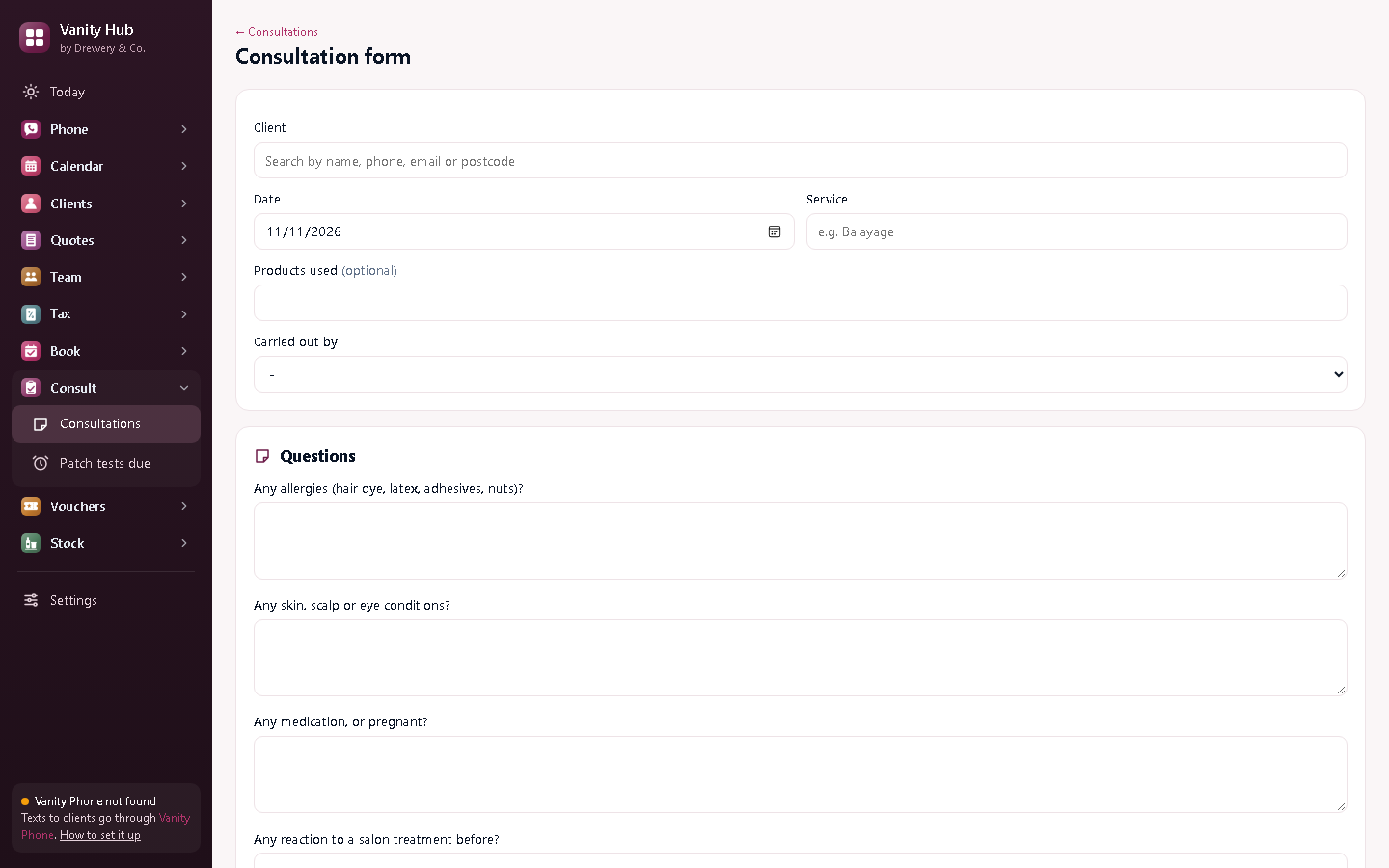
Press Consultation form, choose the client, and go through the questions with them. They sign at the bottom. Press PDF / print for a copy.
#Check who needs a patch test
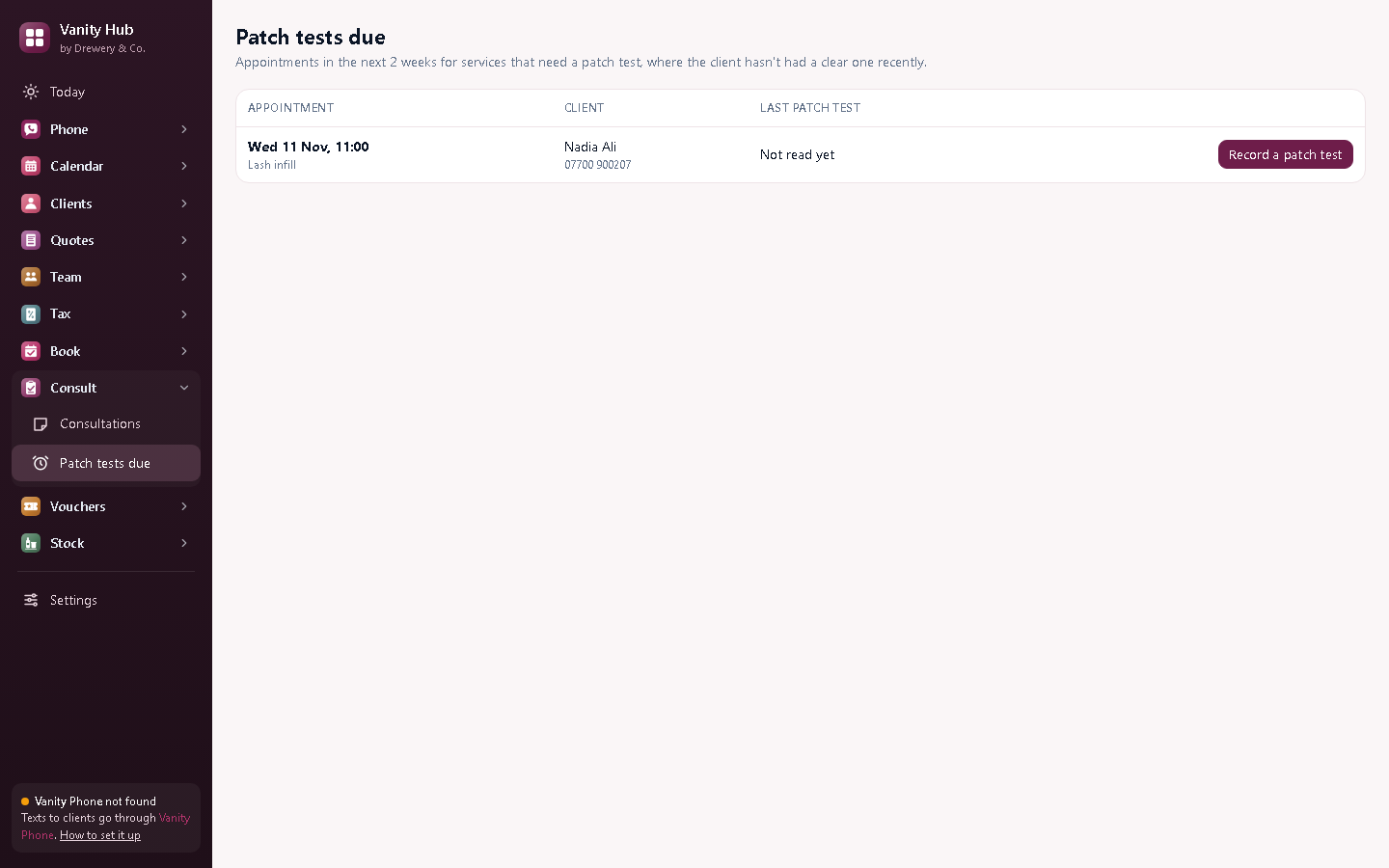
Patch tests due lists every colour or lash appointment in the next two weeks where the client hasn't had a clear test recently. Press Record a patch test when you do it. When you book one of these services, Vanity also asks you first.
Need a hand?
Email help@dreweryco.uk or use the contact form, and we'll talk you through it.