

How to set up Vanity Vouchers & Loyalty
Vanity Vouchers & Loyalty sells and tracks gift vouchers, keeps a loyalty card for every client from their finished appointments, and can text clients on their birthday. It's an add-on for Vanity Calendar, Clients, Quotes or Hub.
#Add your Vouchers & Loyalty key
- In Vanity Calendar, Clients, Quotes or Hub, open Settings.
- Paste your key (it starts with VN1.) into Add a licence key and press Add key.
- Gift vouchers and Loyalty appear in the menu.
#Sell a gift voucher
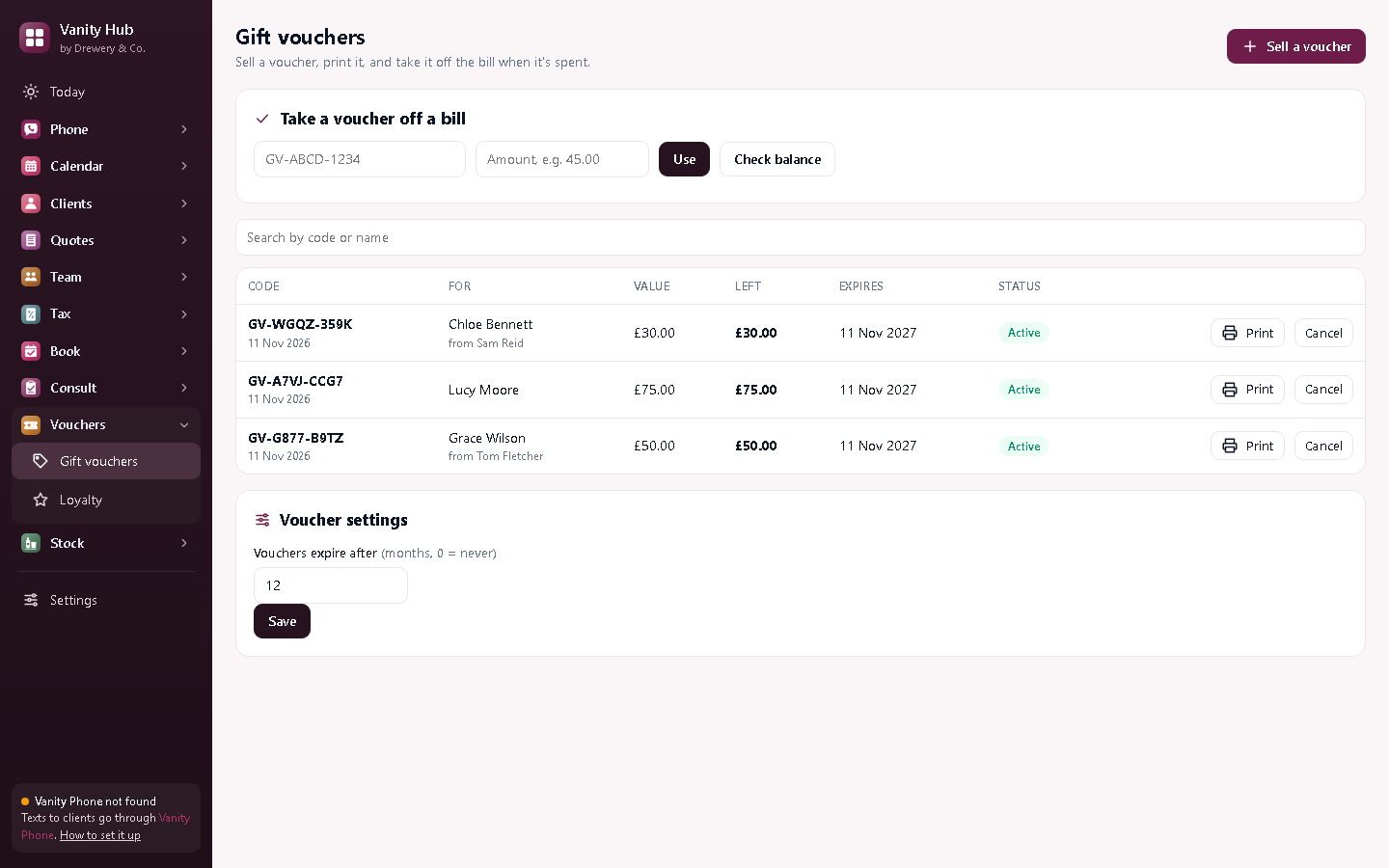
- Open Gift vouchers and press Sell a voucher.
- Enter the value, who it's for and (optionally) who it's from and a message.
- Leave Paid for ticked when they've paid: it goes into your income in Vanity Tax. Untick it for a free gift or prize.
- Press Create and print. Each voucher has its own code, like GV-ABCD-1234.
Vouchers expire after 12 months unless you change it under Voucher settings. Tell people the expiry date when you sell one.
#Take a voucher off a bill
Type the code and the amount under Take a voucher off a bill and press Use. Anything left stays on the voucher for next time. Check balance shows what's left without using it.
#Set up loyalty
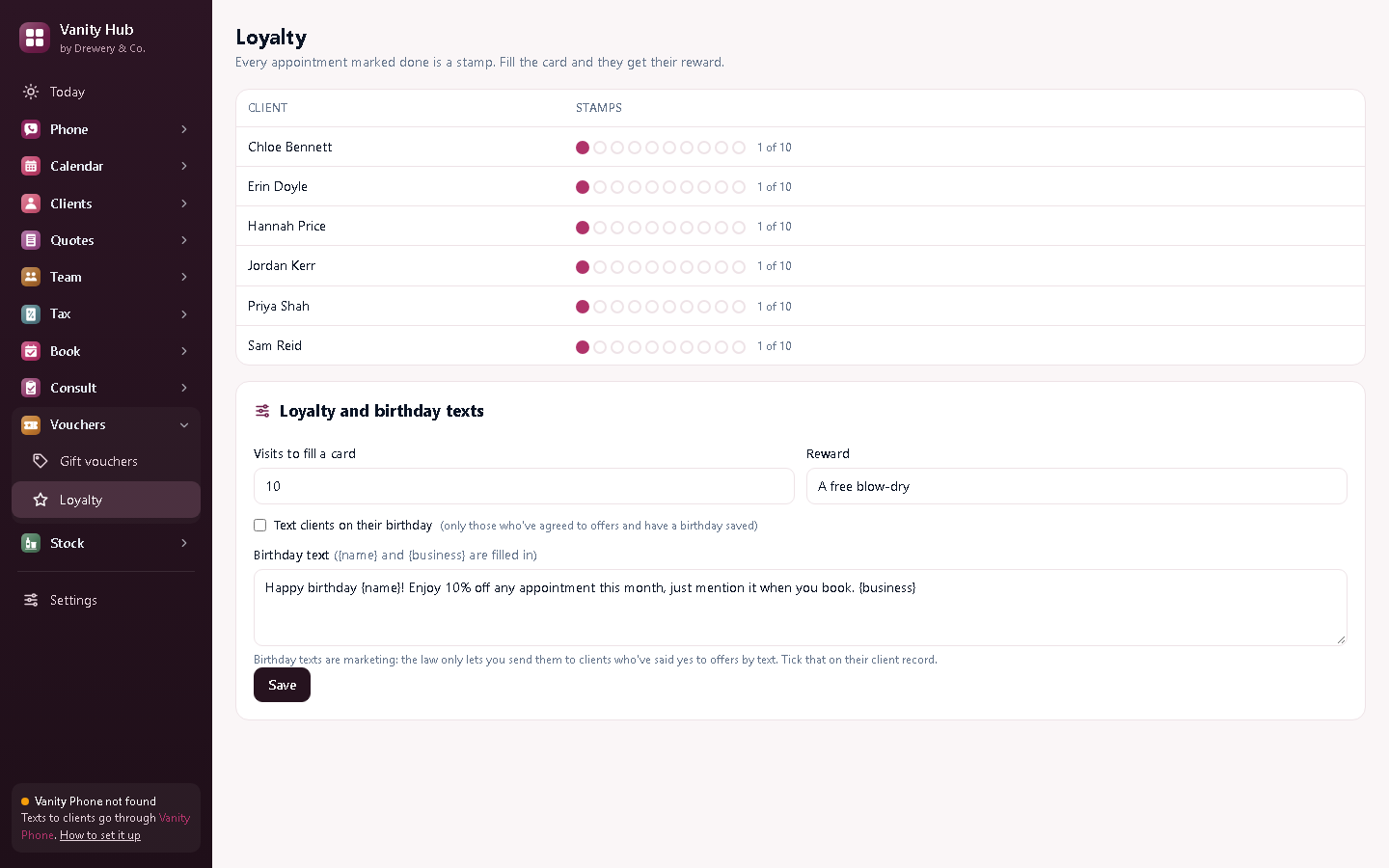
In Loyalty, choose how many visits fill a card and the reward, then Save. Every appointment you mark done is a stamp. When a client's card is full, press Give reward and their card starts again.
#Birthday texts (optional)
- On each client's record, add their birthday, and tick Happy to get offers and reminders by text only if they've agreed.
- In Loyalty, tick Text clients on their birthday and write your message.
{name}and{business}are filled in.
Birthday texts go out once, during the day, through Vanity Phone. They're marketing, so they only go to clients who've said yes to offers.
Need a hand?
Email help@dreweryco.uk or use the contact form, and we'll talk you through it.