
 Vanity add-on
Vanity Stock
Never run out of 6.0 again.
Your retail shelf and your back bar in one list: what you've got, what's running low, and a reorder list grouped by supplier, ready to send.





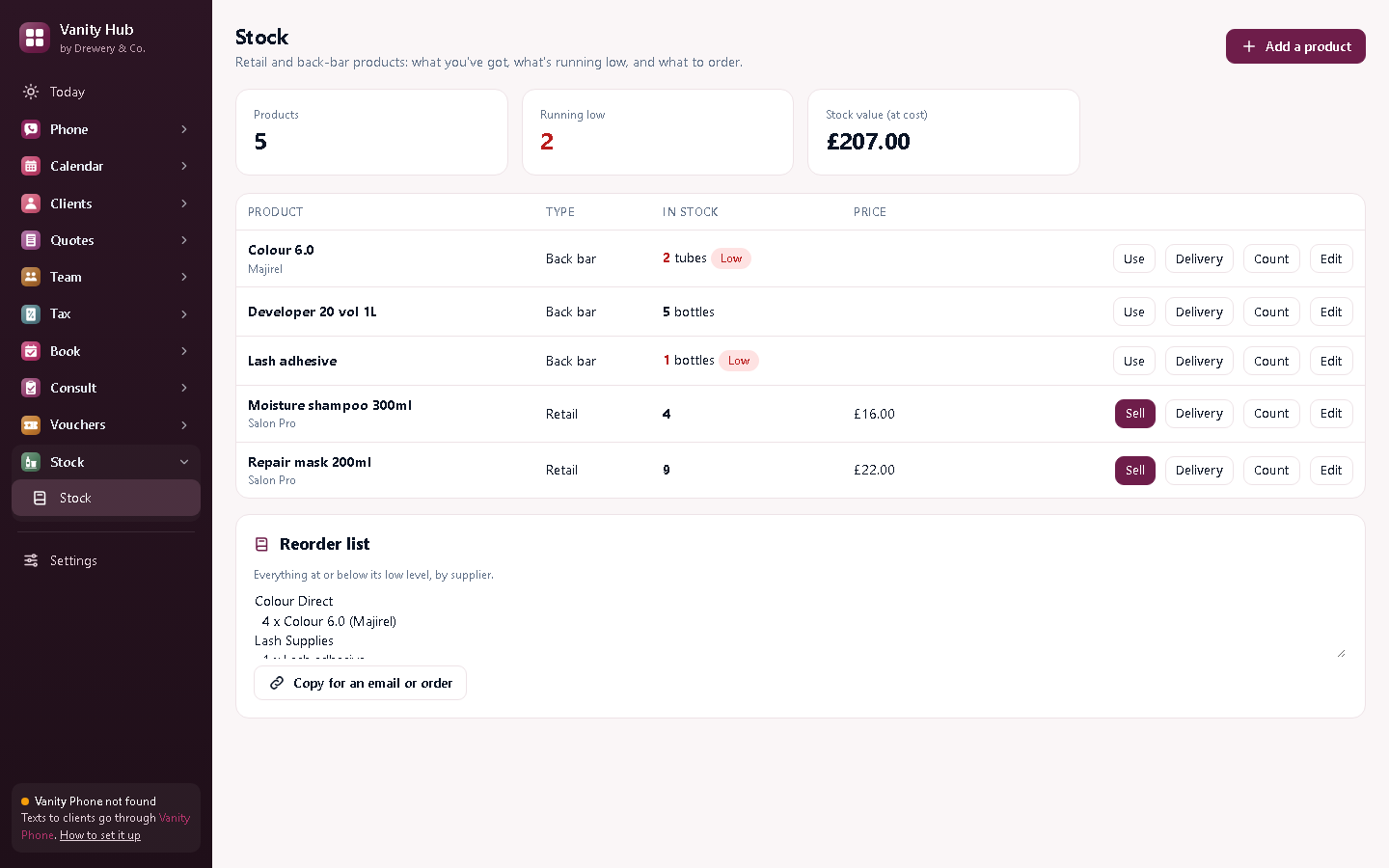
A reorder list that writes itself.
Set a low level for each product. Anything at or below it goes on the reorder list, grouped by supplier with how many to order. Copy it straight into an email or your wholesaler's order form.
Everything in Vanity Stock
Retail and back bar
Products you sell, and the colour and products you use on clients.
Low-stock alerts
Anything at or below its low level is flagged.
Reorder list
Grouped by supplier, with how many to order. One click to copy.
Retail sales
Sell from the shelf and the takings go into Vanity Tax.
Deliveries
Add what arrived; optionally add the cost to your expenses.
Stock counts
Count the shelf and correct the numbers in one go.
Stock value
What your stock is worth at cost, at a glance.
Better with the other Vanity apps
Each Vanity app works on its own. Put two or more on the same PC and they share your clients, column book and team.
- Retail sales go into Vanity Tax
- Works in Vanity Calendar, Customers, Quotes, Team or Hub
Does it work with a barcode scanner?
Not yet: you pick the product from the list. Tell us if you'd use it.
Can it order from my wholesaler for me?
It makes the list for you to send. Ordering stays in your hands.
Can my staff use it on their own PC or phone?
Yes. Your licence stays on your main computer, and your staff connect to it over your own Wi-Fi: install the app on their PC and choose "Connect to the main computer", or open it in their phone's browser. Each person signs in with their own PIN, and you choose whether they see just their own appointments or the whole office.
How do I buy it?
Request a licence and we'll email an invoice. Pay by bank transfer, and your licence key arrives by email. Each key works on one computer. Choose how many months you want (1 to 120), and nothing renews unless you pay the renewal invoice.
 Phone£25 a month
 Tax£9 a month
 Book£6 a month
 Pay£5 a month
 Consult£6 a month
 Vouchers£6 a month